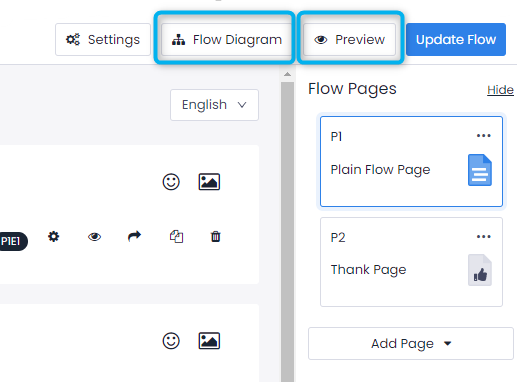
In the Flow creation page, Preview and Flow Diagram buttons are found in the upper right corner.
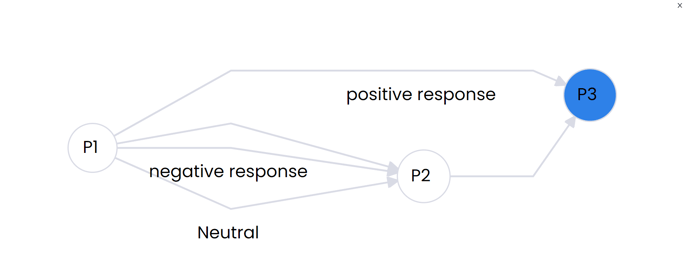
The Flow Diagram allows you to see how a customer might move through your survey. It might look very simple or very complex depending on the State Transitions you use. The example below shows that customers who give negative or neutral responses will be asked additional questions on page two, while those who give a positive response will go straight to the last page of the flow.
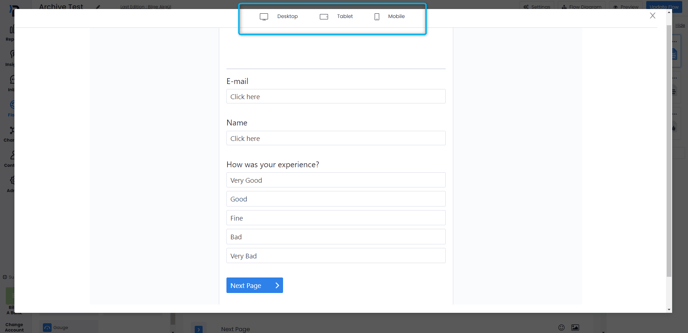
Preview helps you to check whether the Element Triggers and the State Transitions are correctly created and working smoothly. It offers an exact replica of what the flow will look and function like once it goes live. Here, you can test all elements to make sure they are functioning correctly and also see how the flow will look on different devices.