
In Pisano, it is possible to use the email channel to run campaigns and send emails in bulk to your customers. It is also possible to use an API integration with your CRM and trigger these emails right after an interaction or transaction with your customer.
The API documentation will be shared with you upon your request.
If you do not want to do any system integration and you want to do general customer experience or market research by sending bulk emails, you can create an email list and use this list to trigger a campaign.
You can set up your email channel by following the steps below.
- Make sure you have created your flow.
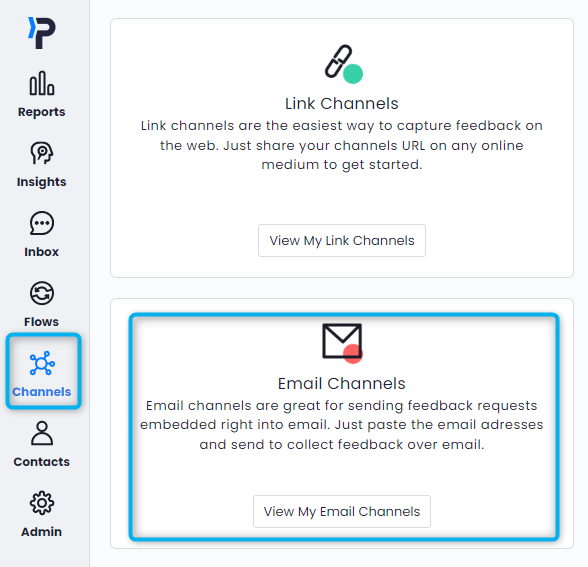
- Head to Channels > email Channels
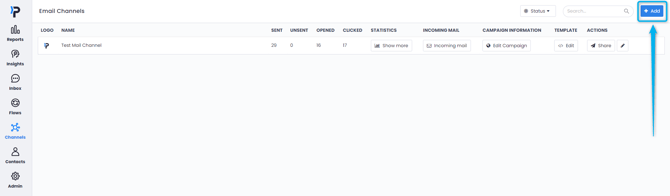
- Click the "Add" button in the upper right corner.
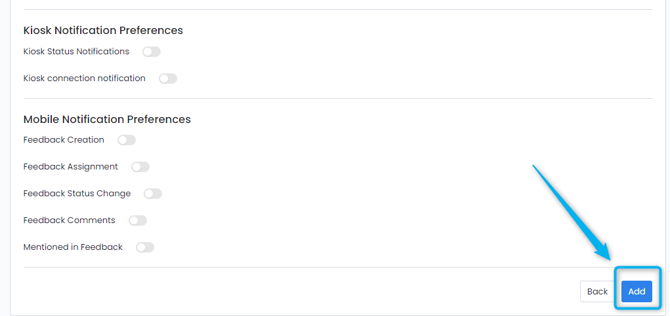
- Fill in the information for your channel. You do not need to fill in every detail.
- Once you have clicked through all pages and reached the end, simply click "Add" to create your channel.
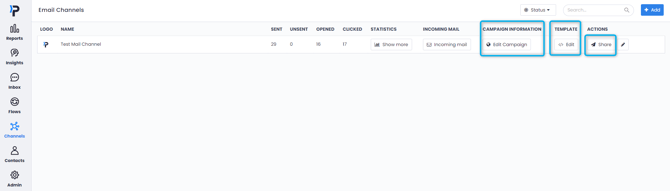
- After creating your channel, you can now edit it. By clicking "Edit Campaign" you can set up your API integrations and assign the flow you have created. By clicking "</> Edit" you can create a template for your mails. By clicking "Share" you can start sending your emails to your customers.
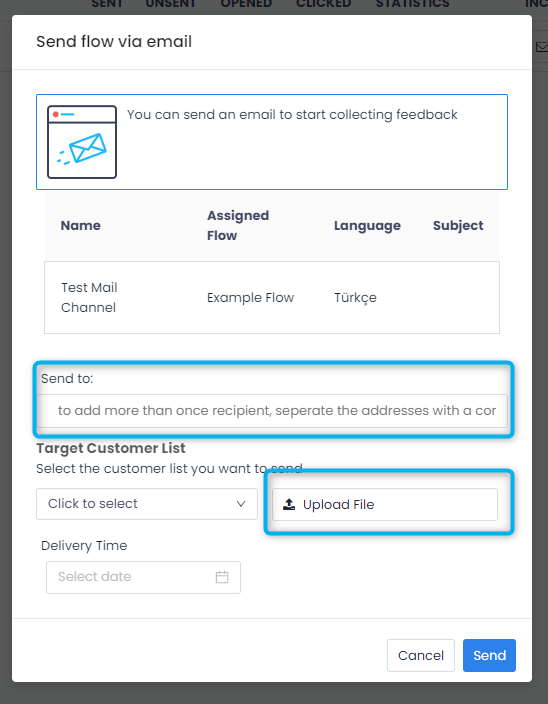
- After you click Share, you will be faced with the below screen. You can enter recipients manually(separated by a comma), or you can upload a customer list as a CSV or Excel file. If you choose to use a file, make sure you select the column where the email addresses are written.
- Once you click Send, your campaign will be sent and your customers will receive an email similar to the one below.
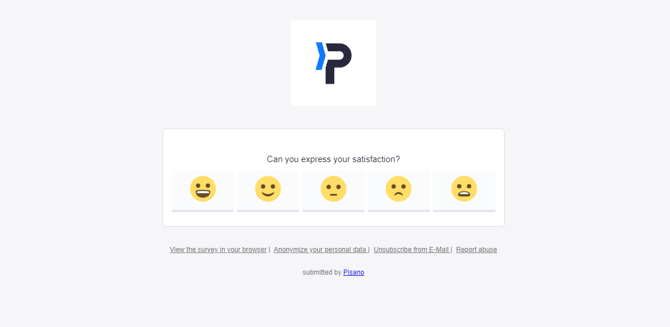
Please note that the first question of your flow will appear in the mail body.