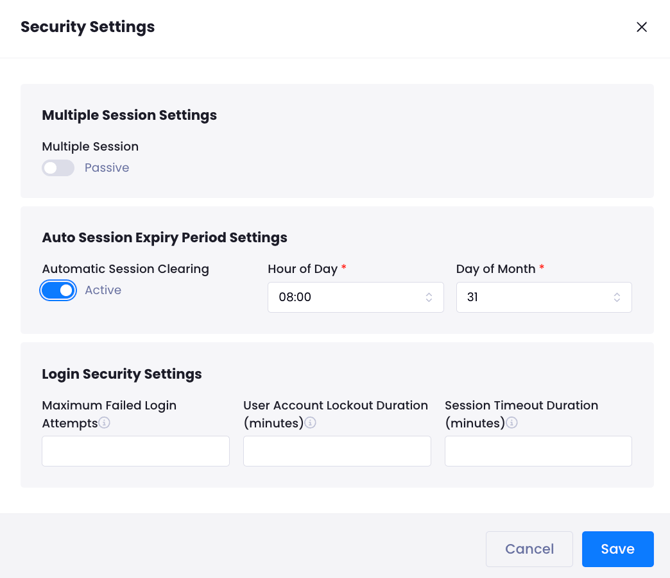
1. Maximum Failed Login Attempts
This parameter controls the number of consecutive incorrect password entries allowed for a single user. It is a critical defense mechanism against brute-force attacks.
-
Logic: Once the specified limit is reached, the user account is automatically locked to prevent further attempts.
-
Default Value: The system default is set to 0 (unlimited). For enhanced security, it is recommended to update this field according to your organization’s requirements.
2. User Account Lockout Duration
This setting defines the time period for which an account remains locked following multiple failed login attempts.
-
Configuration: The duration is defined in minutes.
-
Access: Once the lockout period expires, the account is automatically unlocked, and the user can attempt to log in again. Users should consult their system administrator regarding the specific lockout durations applied.
3. Session Timeout Duration
To prevent sessions from remaining active indefinitely, this feature ensures that inactive users are automatically logged out after a period of non-interaction.
-
Automatic Protection: If no action is taken within the defined timeframe, the session is terminated automatically.
-
Technical Process: Upon expiration, the background session token and cookies are invalidated, and the user is securely redirected to the login screen.