

The example above is for CSAT and NPS calculations of each flow in this account.
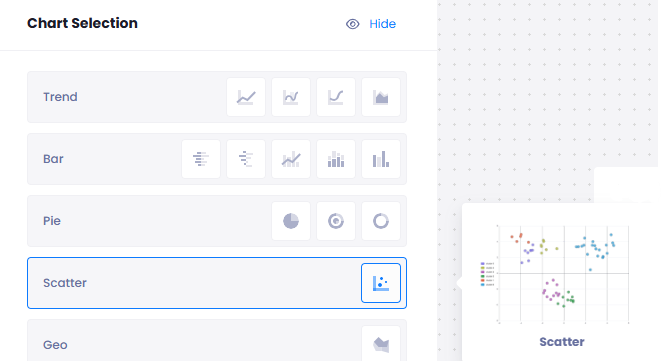
To set up a scatter chart, first we select Scatter from the Chart Selection:
Start selecting Value:
Measurement: You can select Feedback Count, NPS, CSAT, Sentiment Score, Weighted Score and Chat Score
Compare: You can select the comparement as Unit, User, Flow, Customer, Question, Tag, Time Period, Channel, Content Category and Feedback
Then on the right side of the screen, select values from measurement 1 and 2 :
You can customize by selecting spesific flows, units, users etc.

On Customize,
You can set a lower and upper limit for your graph
On Theme,
You can customize your chart by changing the color on X and Y axis

When you want to see your chart, click on Publish on the top right of the screen. Your analysis will be viewed in the Report.