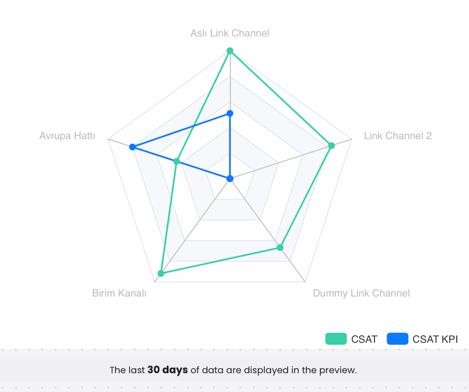
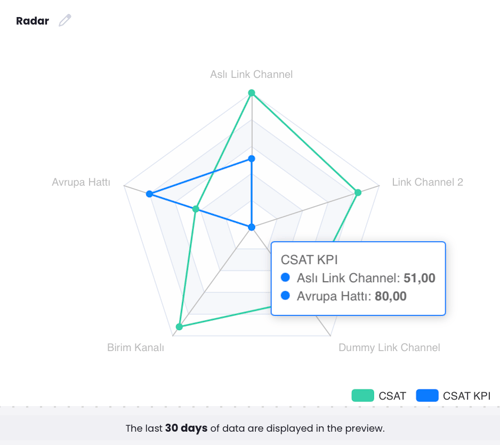
This is a graph that shows the target and actual data. To create this graph, the KPI Settings should be enabled under Settings > Units in the Advanced Settings section. The specific question to be used in the report graph, depending on the flow, is defined in the KPI Settings. The question is associated with the relevant unit and channel. Since this graph only works for NPS and CSAT, only these two types of questions will be displayed, and others will not appear.
If a channel is assigned to a unit, this setting must be configured in the Advanced Settings of the channel. The KPI metric set here can be used in both Radar and Table graphs.
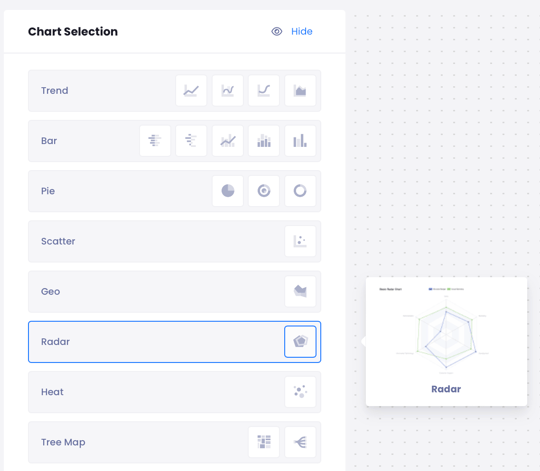
- Select Radar.
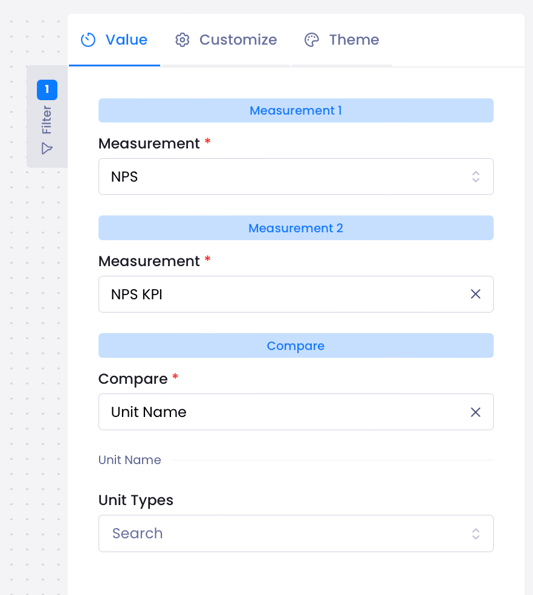
- From the right-hand menu from Measure select which metric you want to measure.
- Select what you want to compare, for example, if you want to compare Unit Name, select Unit Name.
The Blue represents KPI (the target), and the Green represents the actual value.