
Functional Overview
The system can visualize the actual feedback volume behind key performance indicators. This ensures that when viewing metrics like CSAT, NPS, CES, Weighted Score, or Sentiment, you can see exactly how many customers contributed to that specific result.
How to Enable Feedback Counts
You can manage this visibility through the Customize panel:
-
Feedback Count Switch: Locate the "Feedback Count" toggle within the chart customization settings.
-
Visibility: When turned on, the chart will display the feedback count alongside the score value. By default, this setting is disabled to maintain a minimalist view.
Scope and Limitations
Supported Measures: The feedback count is compatible with the following metrics:
-
Feedback Count, CSAT, NPS, CES, Weighted Score, and Sentiment.
Supported Chart Types: This feature is available for all visualization types except:
-
Funnel
-
Geo Map
-
Word Cloud
Understanding the Calculation Logic
The way the system calculates and displays the count depends on the number of measures selected for the chart:
1. Single Measure Selection
When a single metric (e.g., NPS) is selected, the system performs a measure-specific calculation. The count displayed represents only the feedbacks that contain a valid response for that specific score. Any feedback that did not answer that particular metric is excluded from the count.
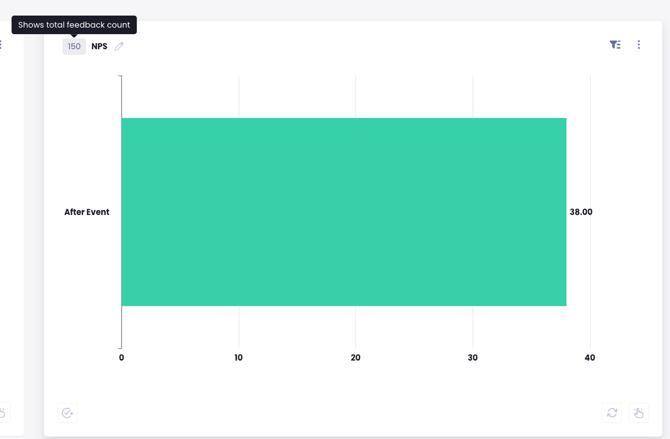
2. Multiple Measure Selection
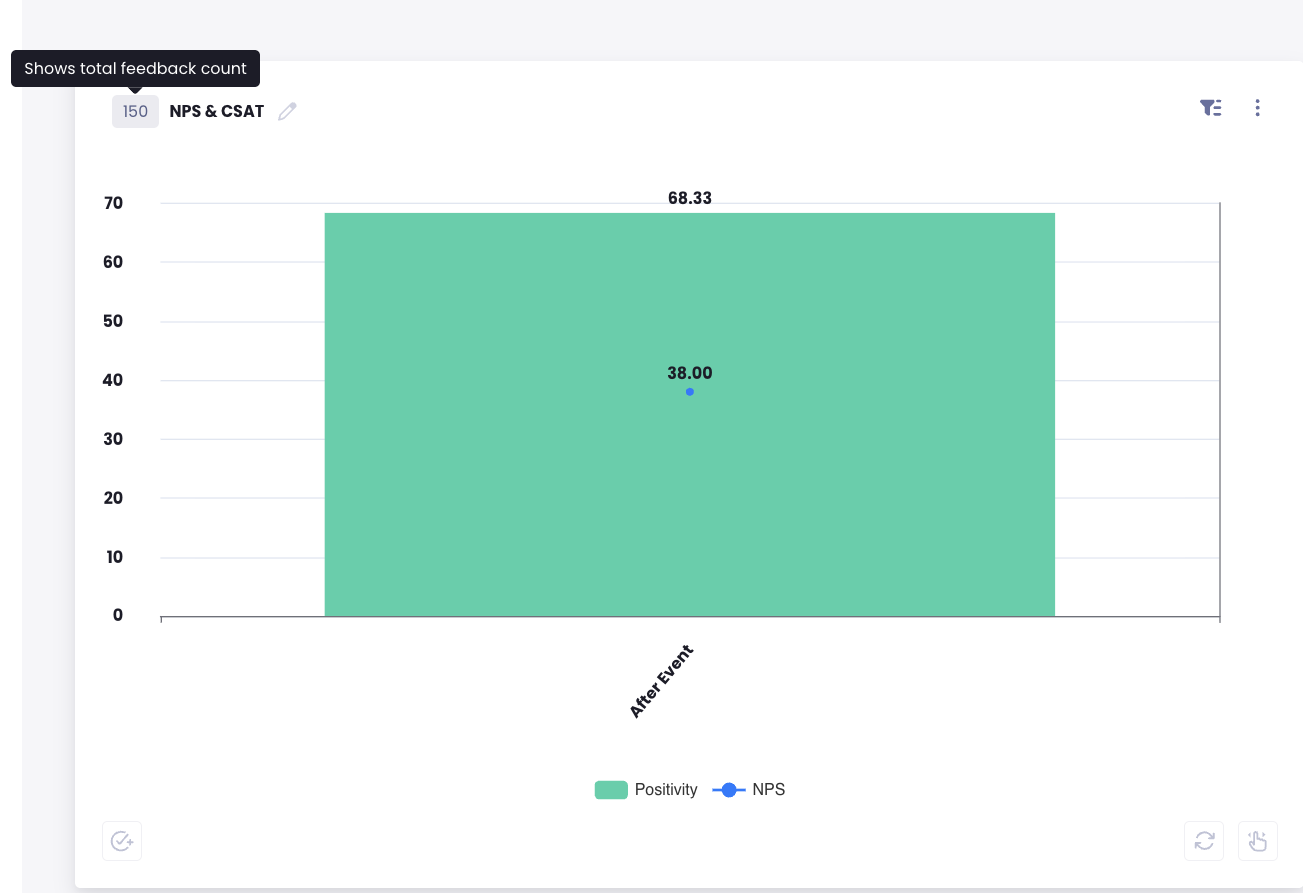
If multiple metrics are selected (e.g., NPS + CSAT), the system displays the total feedback universe for that chart.
-
Because a single feedback form may have some questions answered and others left blank, the system calculates the total number of unique feedback entries that meet your filter criteria.
-
This provides a clear view of the overall data pool supporting the combined visualization.
Key Benefits
-
Data Transparency: View the volume of data supporting every score.
-
Reliability: Easily identify if a score is based on a significant sample size or a limited number of responses, preventing the misinterpretation of data in low-volume scenarios.