
If you have sensitive information regarding your customers in a feedback, such as name or phone number, you might be opting to use our "Masked Question" setting in the flow page.
However, this setting does not mask the customer information that is written under the customer profile. Customer Profiles are automatically created by Pisano when a customer with relevant information leaves a feedback. This information is held seperately than the ones inside your flow. To mask the data in Customer Profiles, you need to use the Masked Contact Information setting in Roles and Permissions.
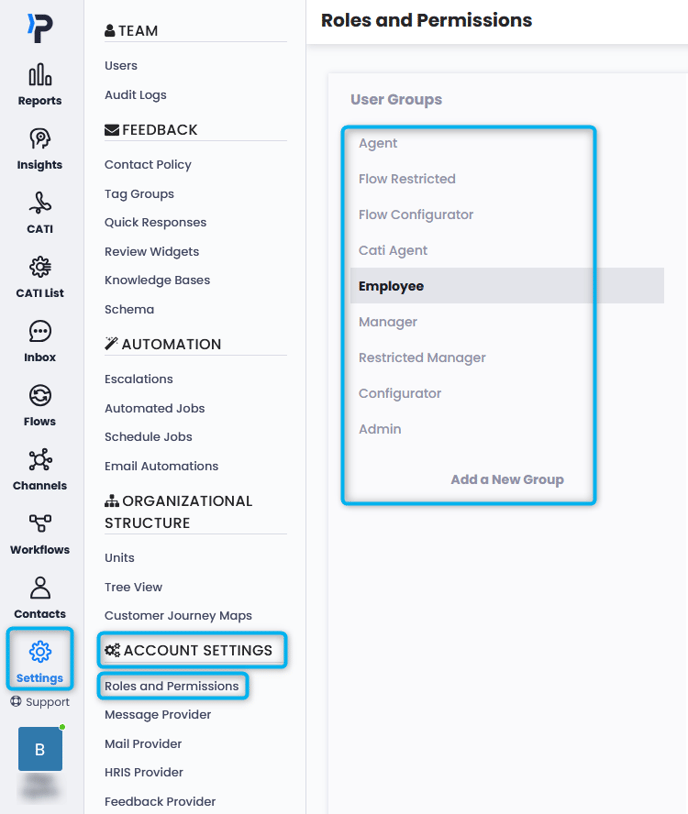
- Head to Settings > Account Settings > Roles and Permissions and select the Role you wish to edit.
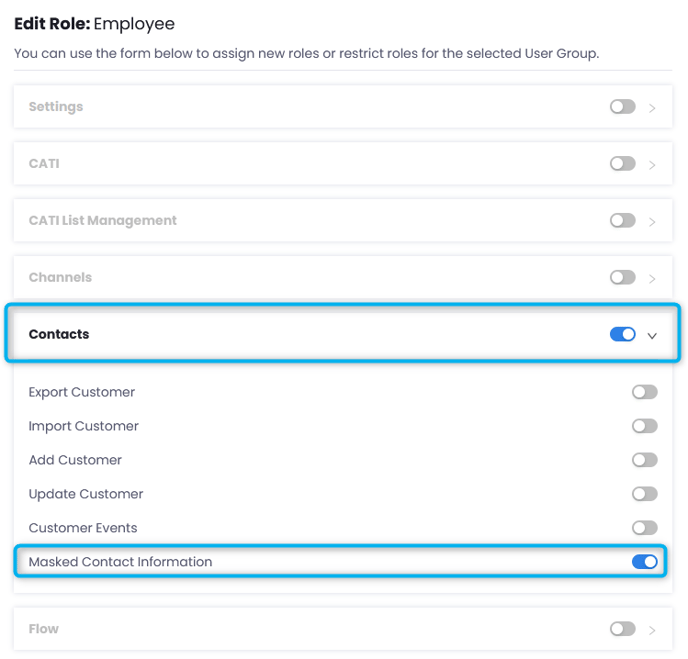
- Under the role you are editing, activate the "Contacts" toggle. And from under it, activate the "Masked Contact Information."
- Save and exit.
After this, all users who have this role will be unable to see the contact information in the inbox, contacts pages, or in export files.
