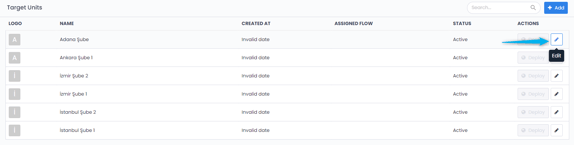
If you would like to delete a predefined unit from your organizational structure tree view, all you have to do is to move that unit to Passive Status.
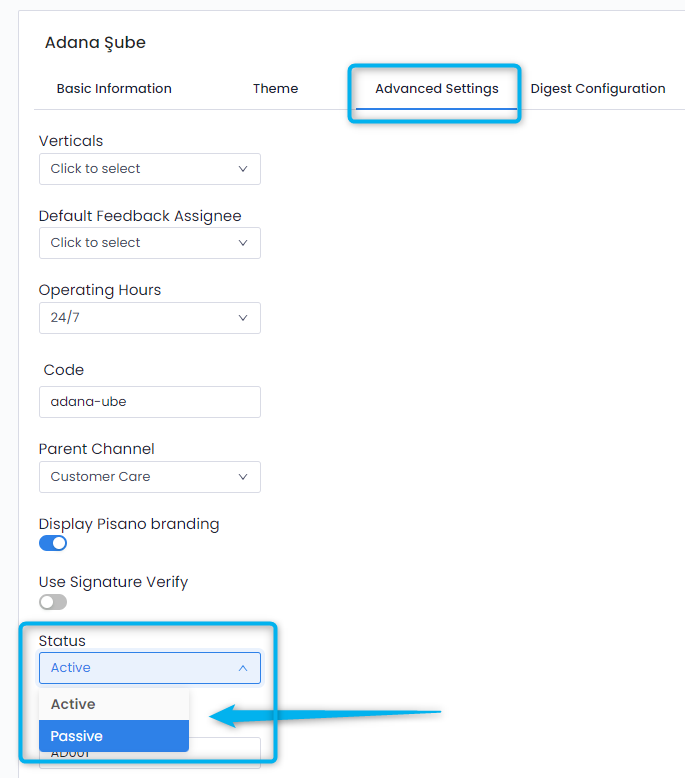
You can do it by clicking on the Edit Button at the right of the unit, go to the Advanced Settings tab and select 'Passive' under the Status field. Then save your changes and the unit will be deleted from the tree view structure.