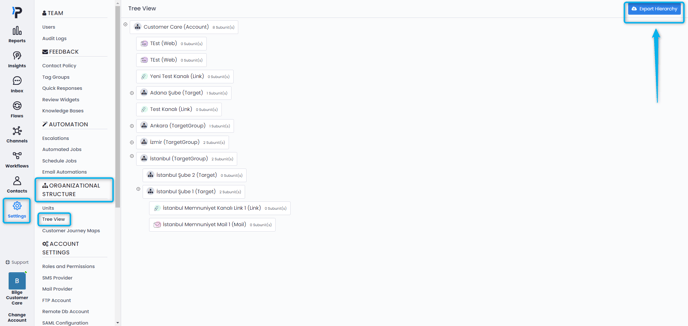
The organizational hierarchy can be fully adapted to the structure of your organization and based on the scope of your project.
You can start creating your organizational structure by navigating to Settings > Organizational Structure > Units.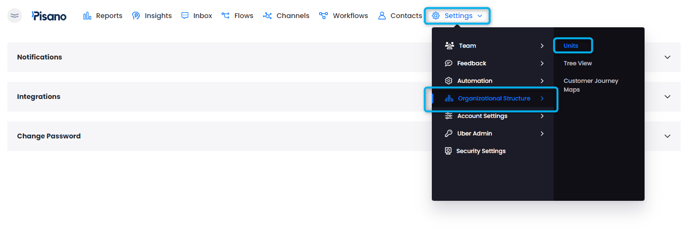
On this page you can find standard Unit Types (Target Groups, Targets & Sub-targets) provided by Pisano that can be edited as per your needs.
If you prefer, you can also use the prompt below these units to create your own Unit Type. 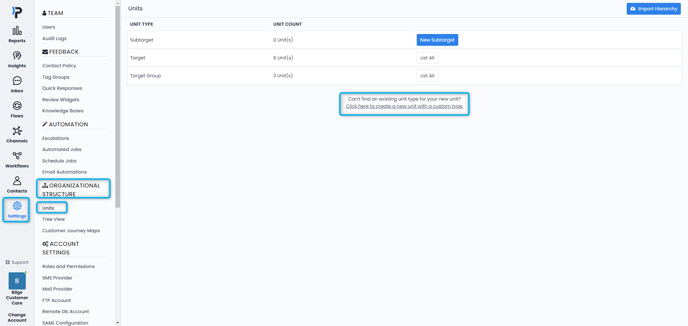
After creating your unit type, you can simply click the button next to it to add a new Unit or click List All and then navigate to the top right corner of the page to create a new unit. 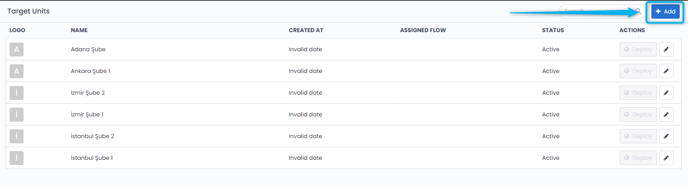
The information you need to enter while creating a unit may vary depending on your needs, however, most of the time it is enough to enter a name, and to select the parent channel of the unit.
There isn't a predefined level set up for units you create, by defining the parent channel of each, you will decide which level of the hierarchy it will be created in.
You can find this setting under Advanced Settings while creating your Unit. Simply choose from the list which parent channel the unit will be connected to. 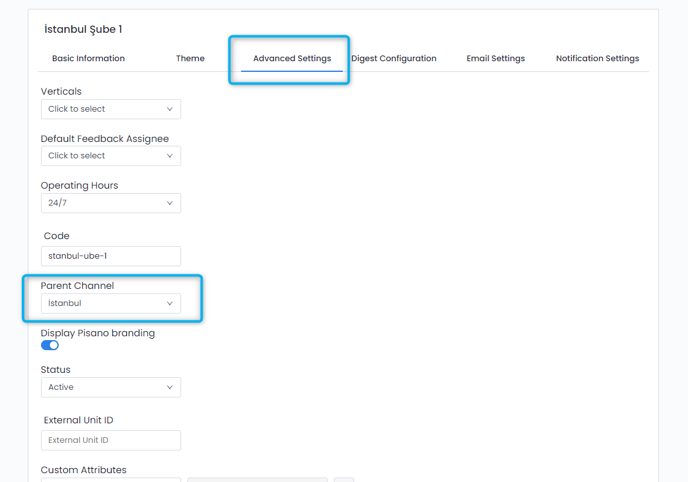
Afterwards, you can navigate to Settings > Organizational Structure > Tree View to visualize your hierarchy and confirm that you have assigned all units to where they are supposed to be.
You can also use the button on the upper right corner to export your hierarchy.