
You can engage with your team about the feedback you receive on the Pisano platform without the need to use any other tool.
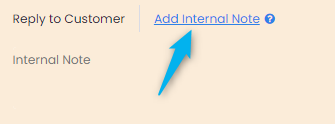
When you receive feedback, you may want to let your team know about the situation or share information about the action taken. You can communicate with all your teammates using Pisano. Simply use the option ‘Add Internal Note’ in the Inbox section.
If you want to specifically communicate with someone about the feedback, you can use the tagging method, just like in social media, by tagging “@contact person's email address. As per the below example, you can tag a team member and he will receive an email notifying them about the internal note.
By using the ‘Add Internal Note’ option, you can ensure that the entire team is equally informed, and you can efficiently communicate with the team without other tools. This allows you to quickly solve problems and enable operational improvements.
Note: The color of the internal correspondence is in orange so that the option ‘Add Internal Note’ does not interfere with the ‘Reply to Customer’ option.