
In order to create a weighted question, you should navigate to flow create/edit screen and click on the Weighted Question button placed on the left of the screen.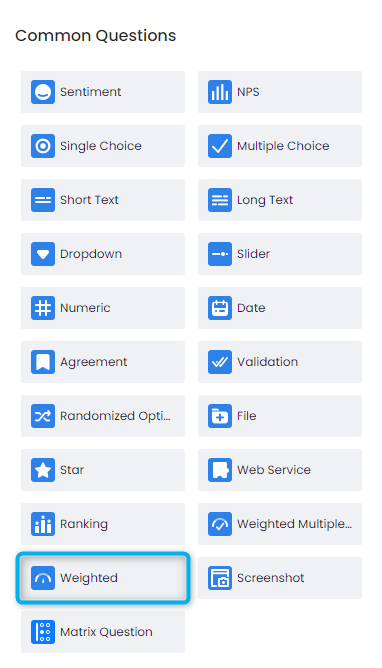
After you click on the Weighted Question button, the default weighted question will be added to the flow you are viewing where you can edit the options and adjust the weights based on your needs.
In order to set the weights of each individual question option, please click on the Settings icon placed on the bottom-right of the question.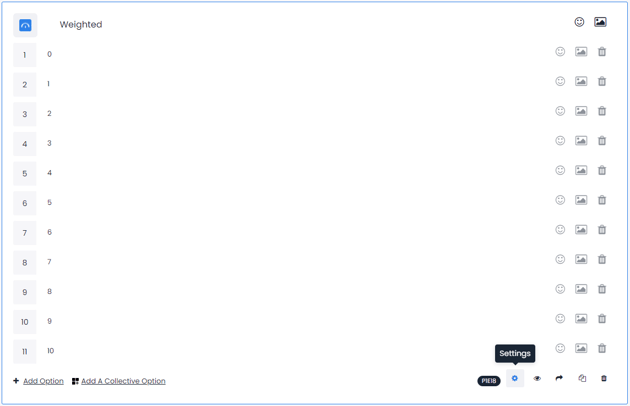
You will see the the accordion menu Define Weight where you can set different weights for different options.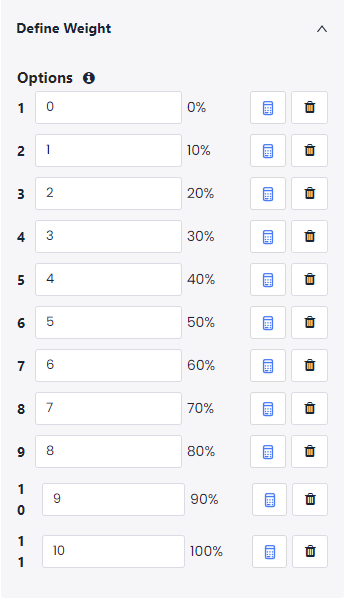
SETTING DIFFERENT WEIGHTS FOR DIFFERENT QUESTION OPTIONS
After setting the weights, you can save your flow and your changes will be immediately deployed to the channels that you assigned your flows to.