
What You Will Find Here
Who Can Access?
This feature is available to all users who have permission to create flows in the platform.
How to Access
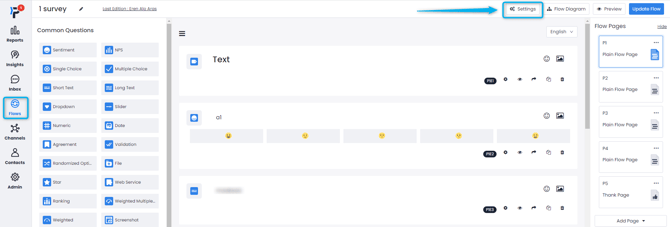
- Click Flows.
- Open the flow you want to configure.
- Click Settings.
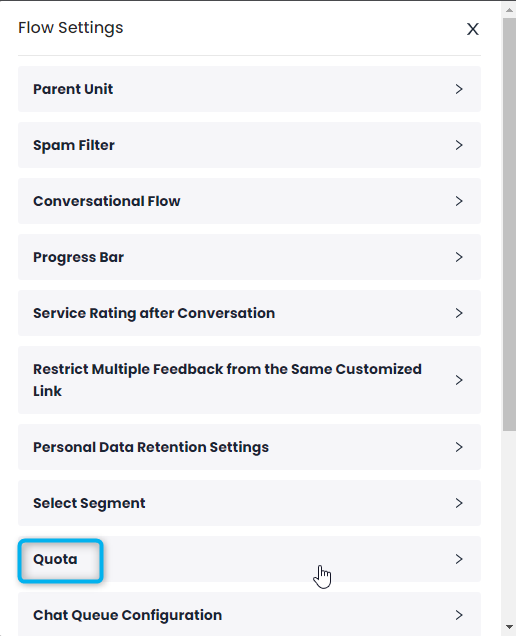
- Select Quota.
You will arrive at the Quota settings configuration card.
What You Can Do Here
Set Flow Response Limit
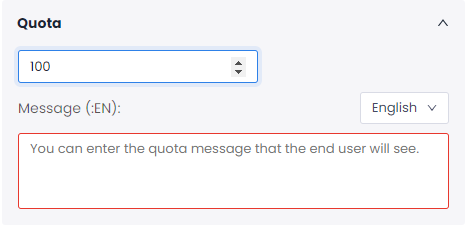
Use the response limit setting to define the maximum number of responses a flow can collect. After the limit is reached, the system automatically closes the flow and prevents any additional submissions.
- Open the Quota expansion menu.
- Locate the numerical counter field at the top of the panel.
- Enter the maximum number of responses the flow should accept.
- If needed, use the up and down arrows inside the counter field to increase or decrease the value.
- Confirm the value before leaving the page.
After the limit is reached, the system retires the active flow automatically. Additional responses are no longer accepted.
Configure End User Quota Message
Use the quota message to inform respondents that the flow is no longer accepting responses after the configured limit has been reached. You can create a separate message for each supported language.
- Open the Quota section.
- Locate the Message area below the response limit field.
- Select the language you want to edit from the language dropdown menu.
- Click inside the message text box.
- Enter the message that respondents should see after the response limit has been reached.
- Save your changes if required.
The custom message is stored for the selected language. Respondents see this message when they attempt to access a flow that has already reached its response limit.
Limits / Notes
There are no additional limits or special considerations for this feature.
FAQs
What happens when the flow reaches the maximum number of responses set in the quota? The flow is automatically retired after the configured response limit is reached. Once retired, it no longer accepts additional feedback from respondents.
Is the quota message shown in different languages? Yes. You can select a language from the language dropdown menu and create a separate message for each available language.
Can respondents continue submitting responses after the quota is reached? No. After the configured response limit is reached, the flow is retired automatically and no additional responses are accepted.