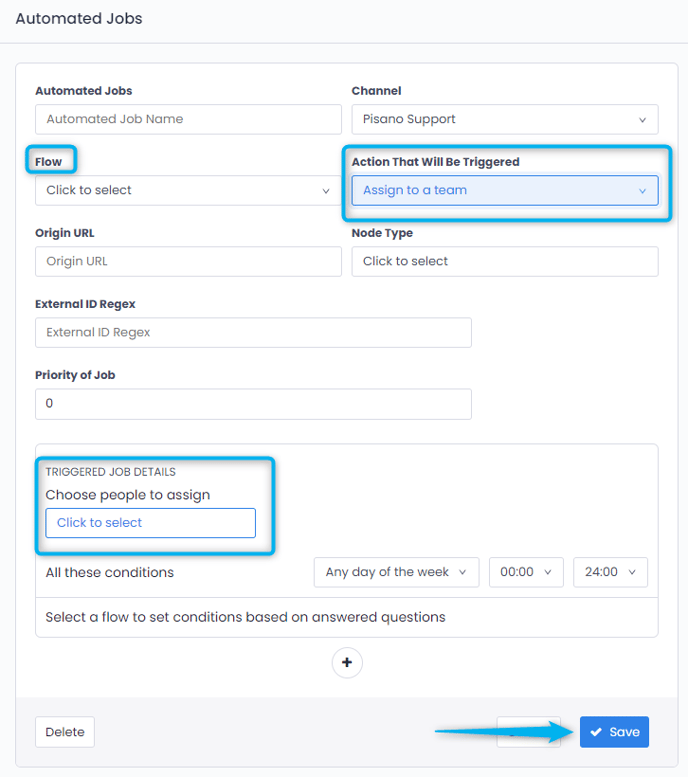
Feedback can be automatically assigned to a related team by automated job. It can be done from the Automate Jobs page on the Admin module.
While these may be assigned to a single person from time to time, some times they get assigned to multiple people.
On the Pisano platform, go to “ Admin”, then click “ Automatic Jobs”.
Select the flow and channel. From here you can assign it to the user you choose for any action in the stream by choosing "Assign to User".
If you want to assign to more than one person, select “Assign to a Team ” as the action to be triggered.