
The Flows module is where you can create, edit and view your surveys. 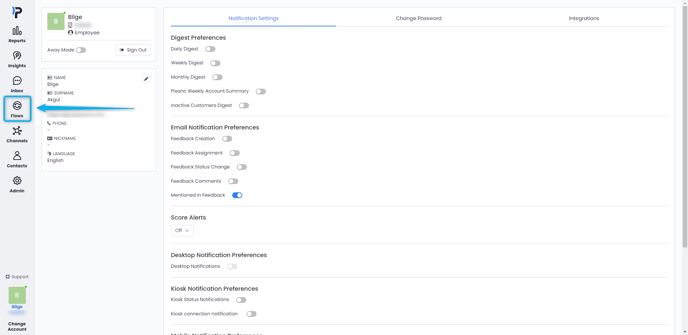
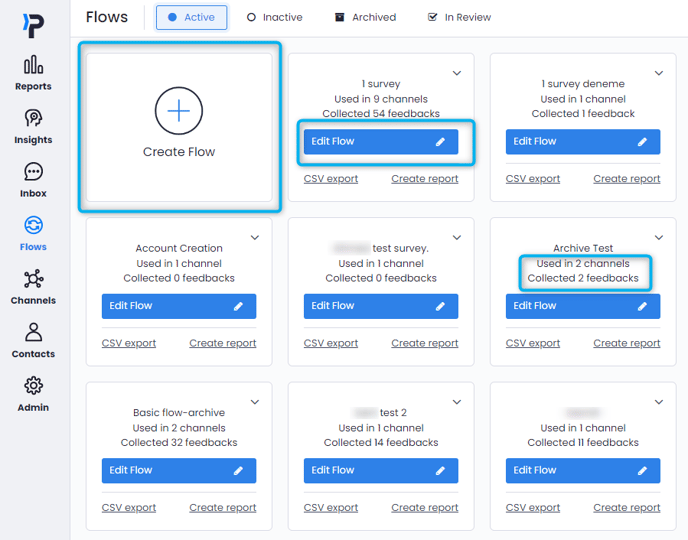
- Active: These are the flows that are currently assigned to a channel and are in use.
- Inactive: These are the flows that you have created previously but have not assigned to a channel yet. When you create a new flow, this is where it will appear.
- Archived: These are the flows you have previously used but are no longer in use. By archiving a Flow, you can keep using the data in it in your reports.
- In Review: If you are able to create Flows but you do not have the authority to publish them, they will be found in the In Review tab. Once your manager approves of the flow, it can then be transferred to Inactive and then assigned to a channel.

In the Flows module, you can use the "Create Flow" button to create a new flow, or click on the "Edit Flow" button on any of your flows to edit them freely. In this view, you can also see some stats like how many channels are using this flow and how much feedback has been collected so far.
Any edits you make on the flows under the "Active" status are live and effective immediately as soon as you save them. To avoid any errors, create a copy of your flow and test out any changes you wish to make on the inactive copy. To create a copy, click on the small arrow next to your flow and select "Make a Copy."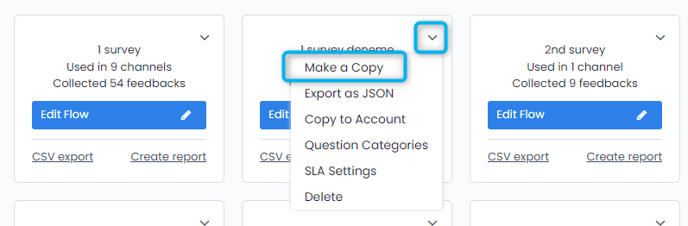
You can learn how to create your own flow here.
Also you can check out our interactive video down below.