In the Flows module, you can see 3 different flow statuses: Active, Inactive, Archived, and In Review.

When a flow is created, it initially gets saved in the ‘’Inactive’’ tab.
After assigning a flow to a channel, it will appear in the ‘’Active’’ tab. This list includes the flows that are assigned to a channel and is ready to be shared.
If you have the authorization to create a survey, but to activate it your manager should confirm it; you can see the survey you created in the ''In Review'' tab.
If you will not use a flow anymore, you can put your flow in the ''Archived'' tab. A flow in archived status will not be used in the platform but the data in it can still be accessed. Once deleted, the data in that flow will no longer be accessible.
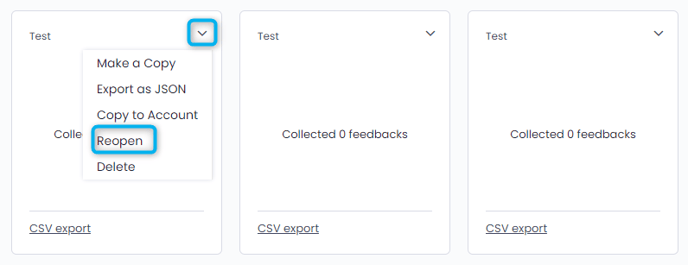
Archived flows can be put to inactive status again via the drop-down menu and by clicking "Reopen".