
LEO can receive, process, and evaluate flow questions provided in the JSON format based on various criteria.
These criteria include adherence to language rules, richness of content, and sector-specific considerations. The main tasks of the assistant are:
- Question Analysis: The assistant analyzes question texts using natural language processing techniques and evaluates the clarity, grammatical structures, and tone of the text.
- Content Evaluation: It examines the content of each question based on its purpose and target audience and provides recommendations to the user on how the questions can be improved.
- Sectoral Alignment Analysis: It evaluates the suitability of questions based on the needs and themes of the sector where the survey is conducted and provides sector-specific recommendations to the user.
- User Guidance: Based on the analysis results, the assistant guides the user on how the questions can be organized, which question types should be used, and how the overall flow of the survey can be improved.
After creating your flow, you can use the "Ask Leo" button on top of the flow page to have Leo evaluate your survey. You can click on the logo at the bottom right corner to view your conversation history with Leo.
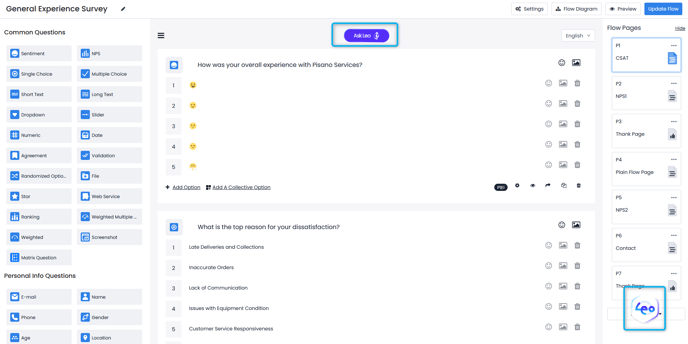
For examle, we can ask Leo to review our General Experience Survey. When we click the "Ask Leo" button, we are met with the following screen:
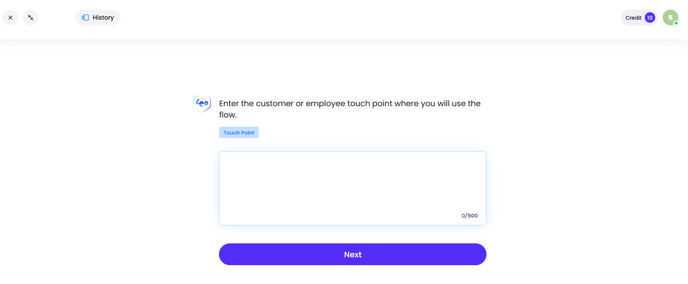
On this screen, Leo will be asking us several questions related to our flow to determine its usage for a more effective analysis.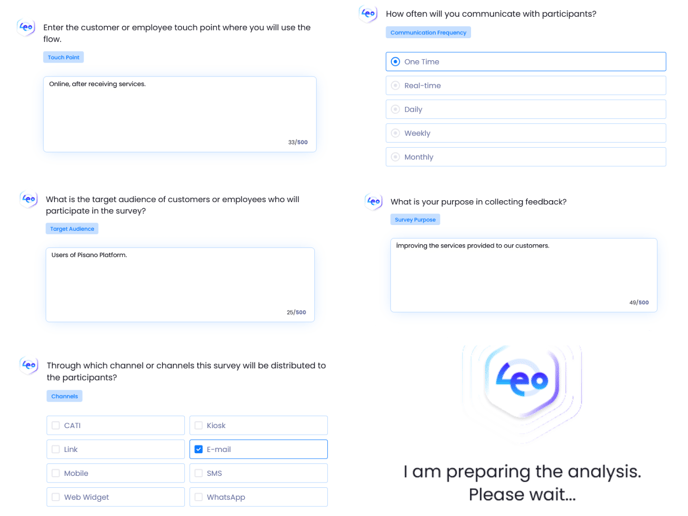
Once all questions are answered, Leo will begin his analysis and provide you with an outcome similar to the one below.

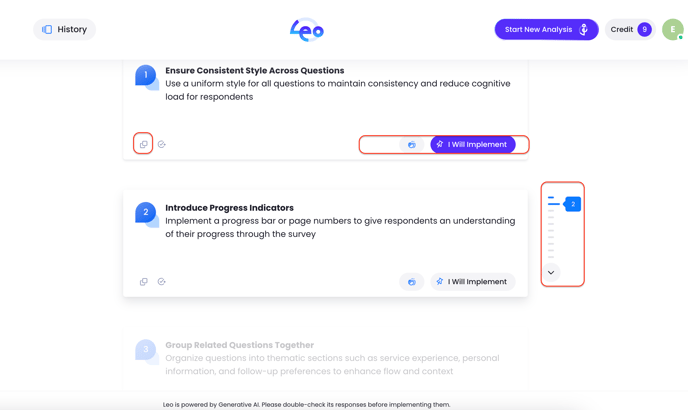
Now you can edit your flow according to Leo’s recommendations. After editing your flow, you can save and ask for an analysis again.