
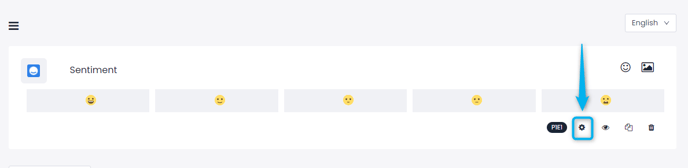
Any questions you add to your flows can have their setting changed by clicking on the gear symbol right below the question.
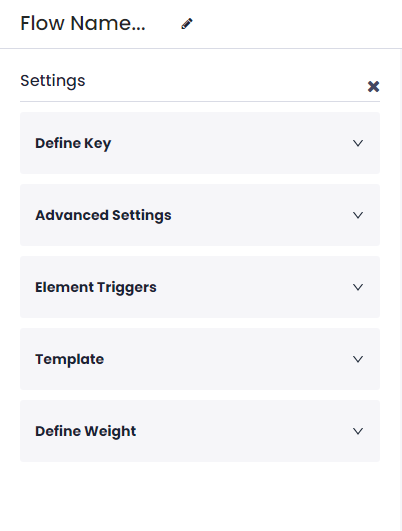
- Define Key: This setting allows you to enter keys to question options so that they can be used for integrations you make between Pisano and other programs you use.
- Advanced Settings: This setting allows you to make changes to several aspects of a question. Depending on the question type you are using, you can change the Question Type, Layout Style, and Default Options, and also select whether this is a Required Question, meaning the question has to be answered to continue the survey.
- Element Triggers: This setting allows you to Hide or Show certain questions on the page depending on the options chosen on the question you are editing. For example, when you ask a CSAT question, you can choose to show a "Please Explain" question to customers who answer Bad and Very Bad. For a more detailed explanation, go here.
- Template: This allows you to can change the logic in the flow by writing a code in EJS format.
- Define Weight: Certain questions will allow you to define the weight of your options. This will affect the calculations in your reports.