You can have the feedback sent to your e-mail address by clicking the "Export" button.

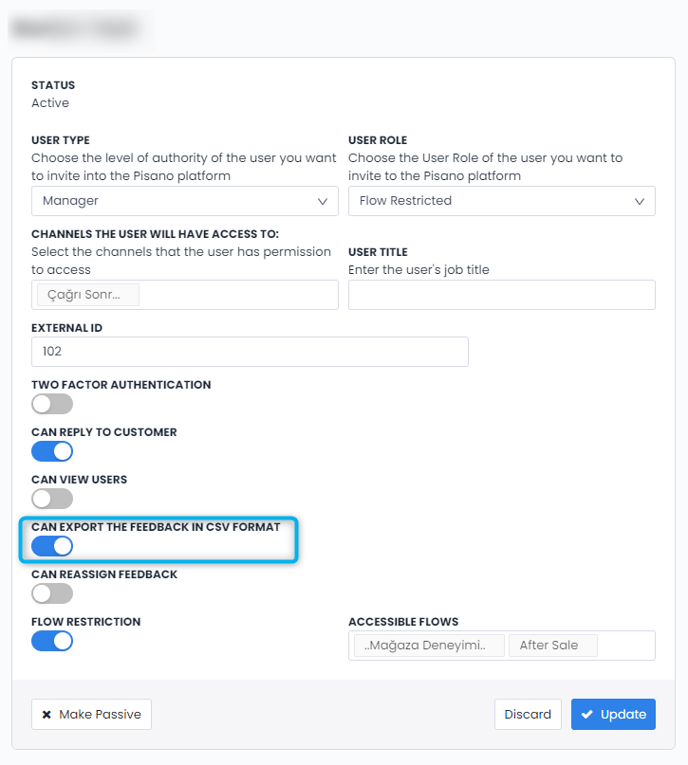
If you are unable to, you should contact your platform Admin and ask them to grant you Export permission.
By going to the Administration > Users tab, and pressing the pencil next to the name of the user you want to edit, you can check whether the "Export Feedback in CSV Format" section is active and if it is not, you can activate it.