The Contacts module of the Pisano dashboard allows you to overview all users who have given their information to you. To access contacts, simply click on the 'Contacts' tab located on the left side of the panel.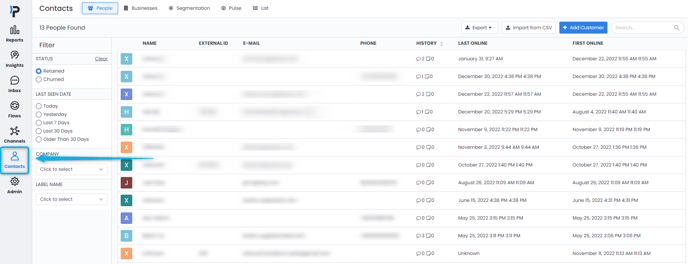
The Contacts page allows you to see a variety of information related to your customers. You can see personal information such as Name, Company, E-mail and Phone Number. You can also see the amount of feedback and notes related to a particular customer. The last Online and First Online section displays the date of your customer's first login to the system and when they were last seen on the system.
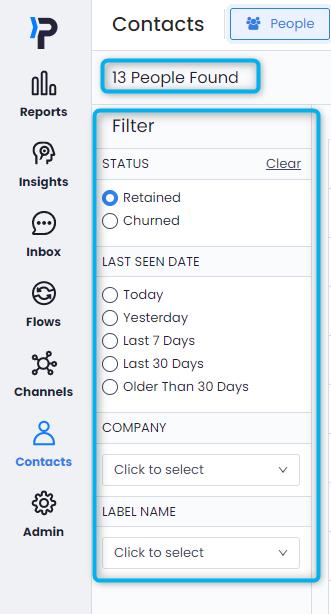
On the top-left section of the Contacts screen, you can see the total number of contacts you currently have in the system. Right below are the filters you can use to search for specific users.
When you click on one of the listed contacts, you can see personal information and activity history. In the section listed under New Note, you can create special notes about the end-user. 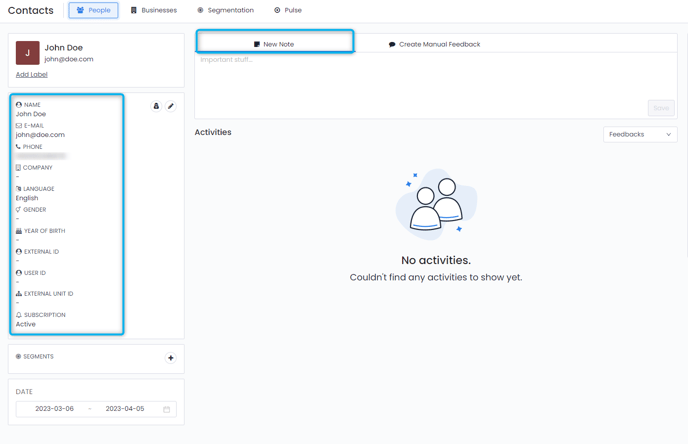
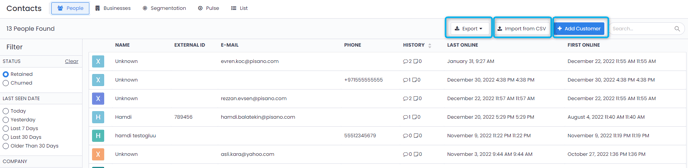
You can export your contact list in CSV and Excel formats with the Export button on the top-right section of the Contacts screen, and upload your contact list in CSV format to Pisano with the Import from CSV button. While you can create a new contact by clicking on the Add Customer button, you can search your contacts by clicking on the Search section.