
As an example below, a workflow has been created to send SMS to users who have not left feedback to the e-mail campaign. By following the steps here, you can set up many scenarios according to your needs, such as triggering an E-mail after an SMS, or triggering a reminder with an SMS again after an SMS campaign.
Note: For the example below, an SMS channel must already exist.
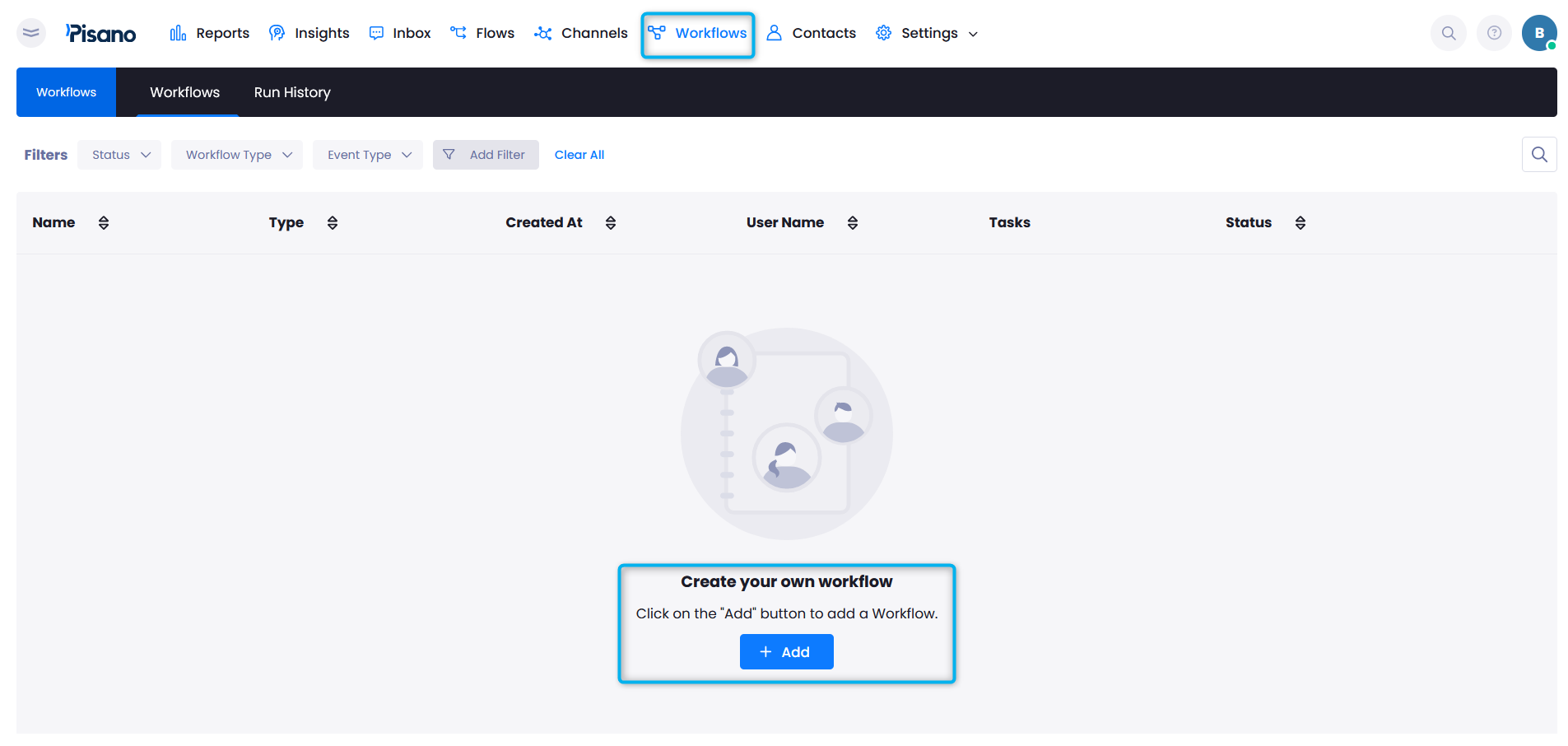
- Go to Workflows and click "Add" to create your own flow.
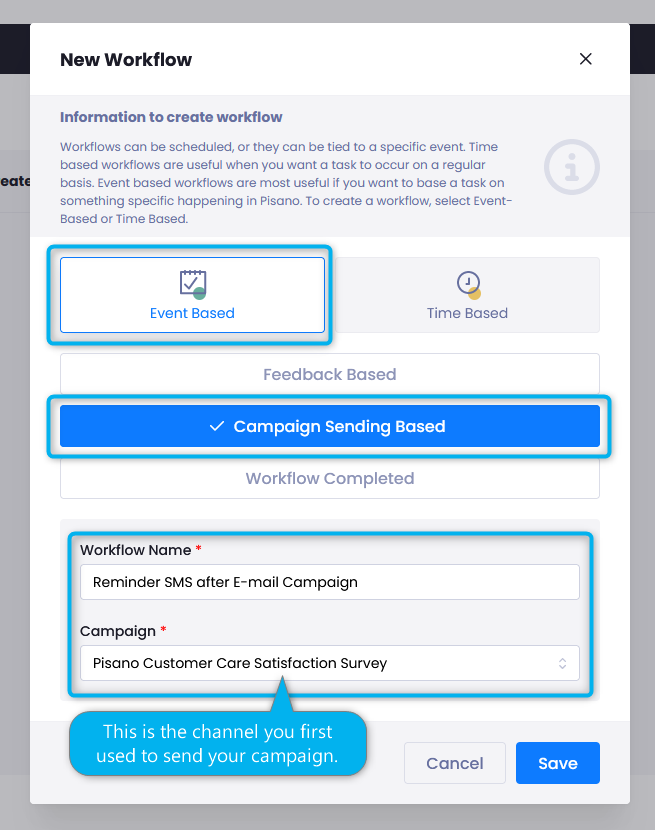
- Select "Event Based" > "Campaign Sending Based".
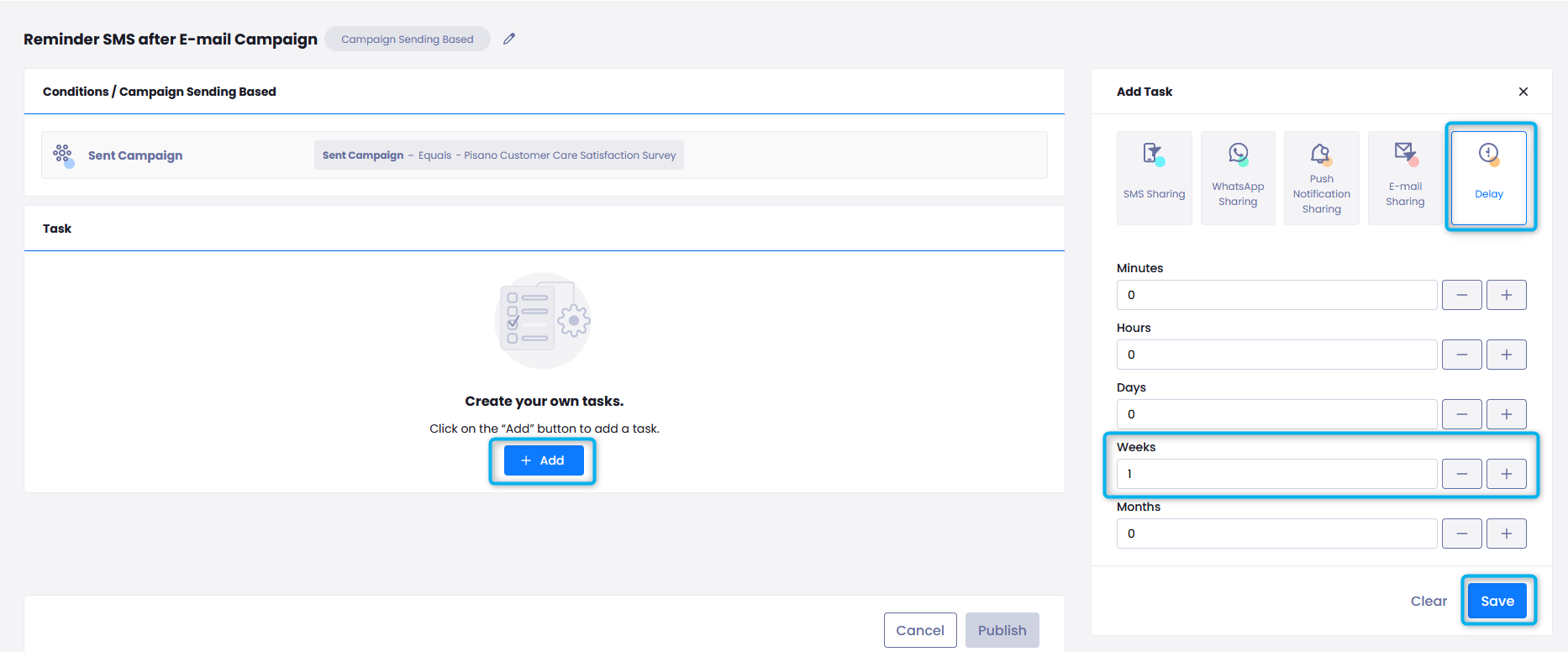
- In workflows like this, Delay must be entered as the first task. For example: 1 Week.
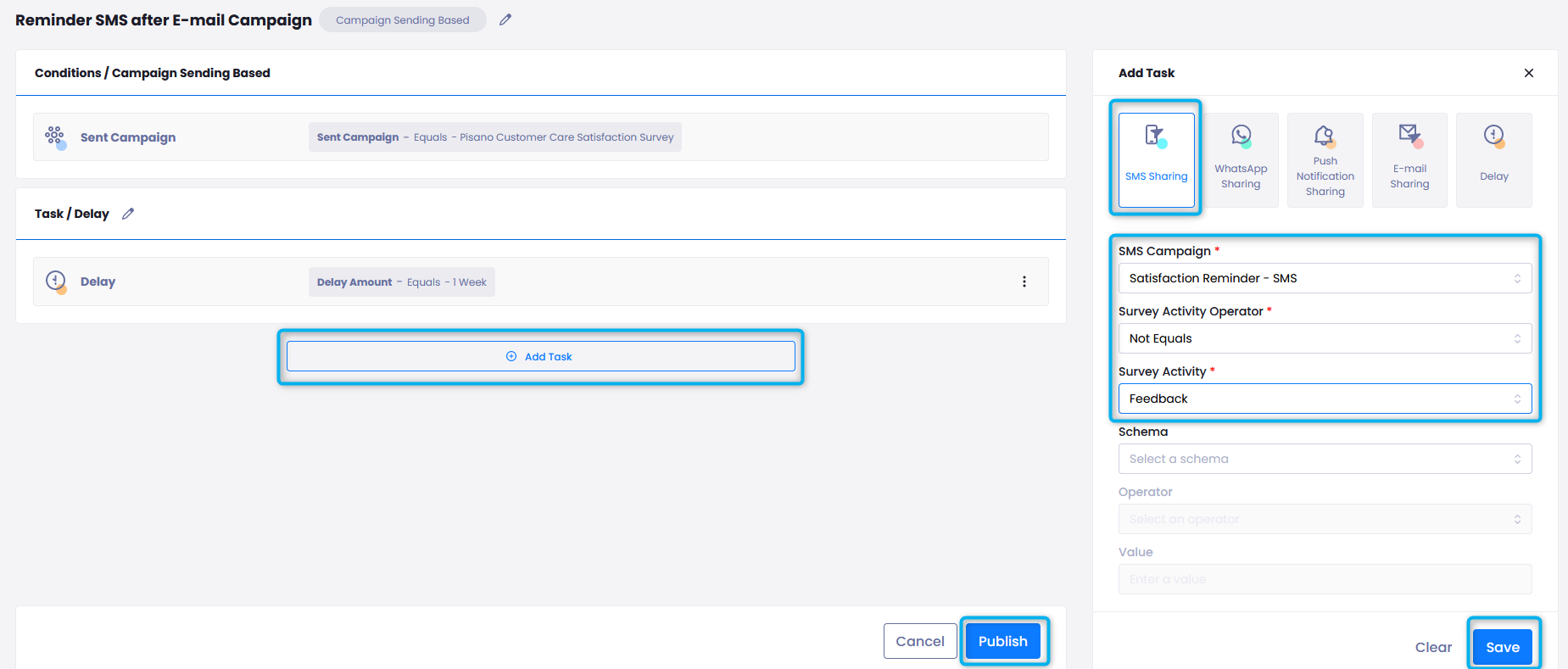
- After saving, click Add again, select the relevant SMS channel from the SMS Sharing section.
- Since this will be sent to people who do not leave feedback:
Select Survey Activity Operator as Not Equals, and Survey Activity as Feedback. - After clicking the Save button, click the Publish button to finish setting up your workflow.
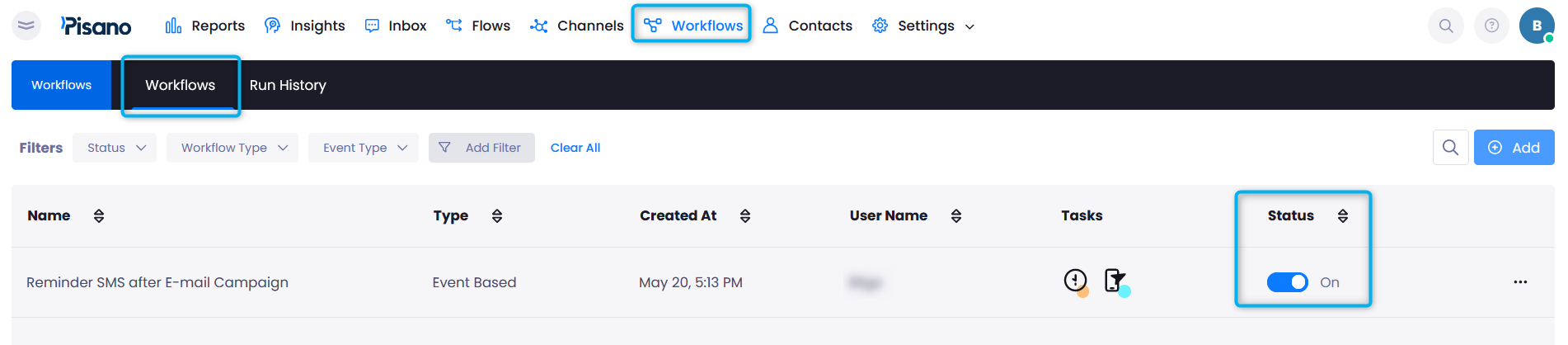
After creating your Workflow, make sure its Status is active on the Workflows page.
You can refer to our interactive video below for a step-by-step demonstration.