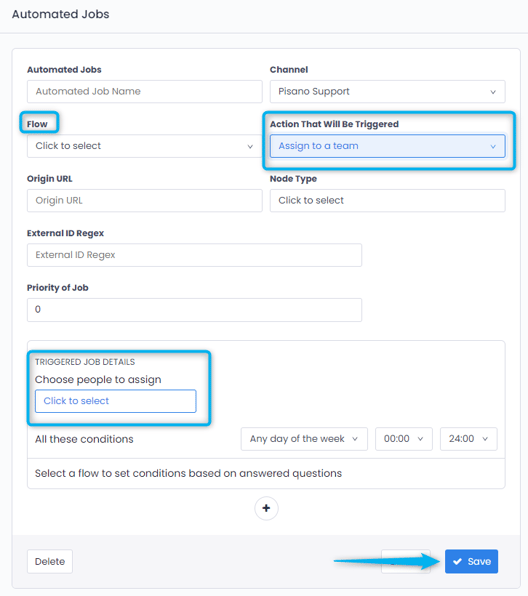
Assignment to the Team members from Automated Jobs from the Admin Panel needs to be done. The Action That Will Be Triggered is selected as "Assign to a Team". In the Triggered Job Details, select the users to be assigned and click Save.
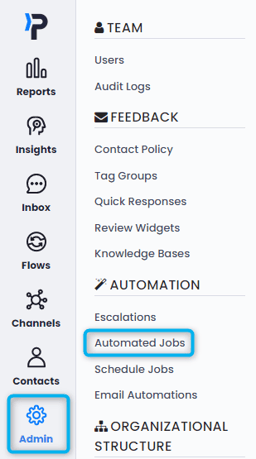
Select Automatic Jobs from the Admin panel.
The Action That Will Be Triggered is selected as "Assign to a Team". In the Triggered Job Details, select the users to be assigned and click Save.