
Pisano has various feedback statuses that allow you to easily track all the feedback you collect. You can see the status types such as Open, Waiting Response, Archived, Favorites, Spam, Waiting in Queue and All by using the button in the upper left corner.
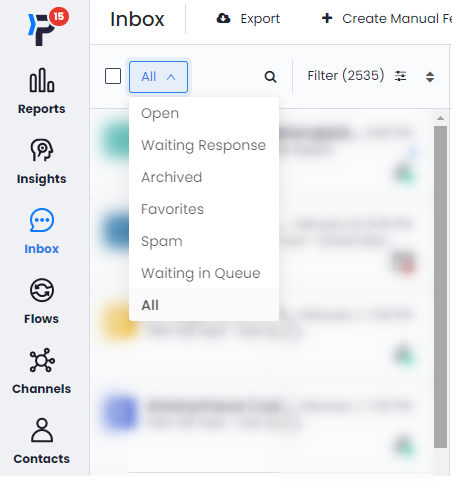
What these categories mean and what they can be used for is as follows.
- Open: Allows you to see the feedback you have taken no action in and is not archieved.
- Waiting Response: Consists of feedback assigned to you and not yet archived.
- Archived: Consists of closed feedback. After the needed actions are taken, the feedback is archived with the Archive button at the top right corner of the Inbox. If there is no contact information in your flow or there is no written response in the feedback, the system automatically archives it.
- Favorites: Consists of feedback that has been favorited by any of your team members that requires special attention or generates insight.
- Spam: It consists of your feedback that is manually or automatically marked as spam. Spam flagging can be done manually by your team or automatically by rules.
- Waiting in Queue: This status means the feedback in the chat queue waiting to be connected to a customer service representative.
- All: Lets you view all the feedback you have received.
These states allow you to optimize your workflow by helping you categorize your feedback based on its importance or completion.