
Using the SMTP (Simple Mail Transfer Protocol) for sending notifications or surveys via email.
For users with administrative privileges, the fields in the screenshot below must be filled out by navigating to Settings > ACCOUNT SETTINGS > SMTP Configuration in the management panel.
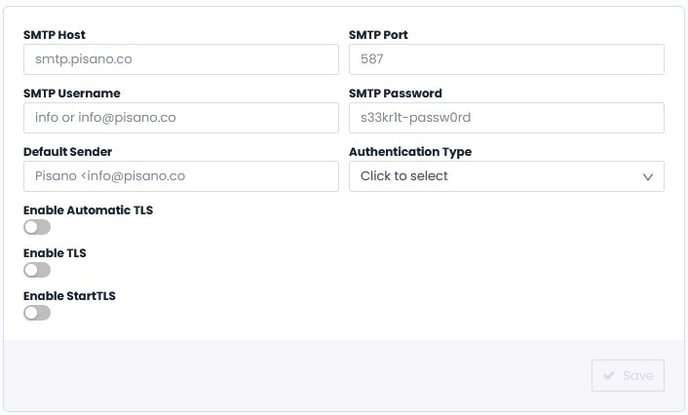
| Field Name | Description |
|---|---|
| SMTP Host | The host address of the SMTP server |
| SMTP Port | The port number, default value is 587 |
| SMTP Username | The username used for security |
| SMTP Password | The password for the username used for security |
| Default Sender | The email address of the sender for mail transmissions |
| Authentication | Plain or Login authentication method should be selected |
| Automatic TLS On | If the TLS encryption protocol is used for security, the button should be activated |