
With the Screenshot question type, you can ask people who respond to your flows to take a screenshot of the page they are on. This question type is only available in the Web Widget channel. For example, if you are collecting feedback about your website, you can use this question type to allow customers to take a screenshot of an error on the page and send it to you.
To add this question type to your flow, simply click File from the question menu on the left of the flow creation screen.
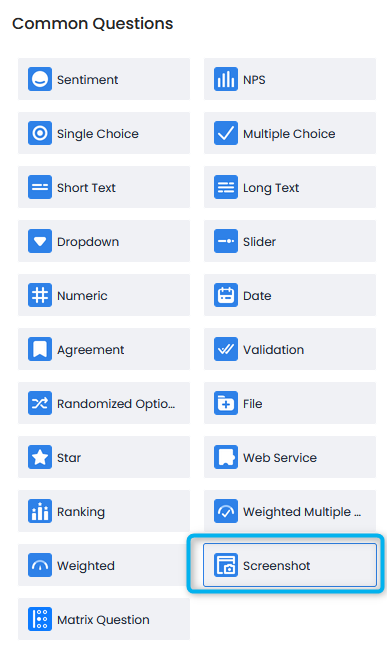
The Question will be added to your flow as blank. You can add your question by clicking on the text.
The question will appear in the flow as follows:
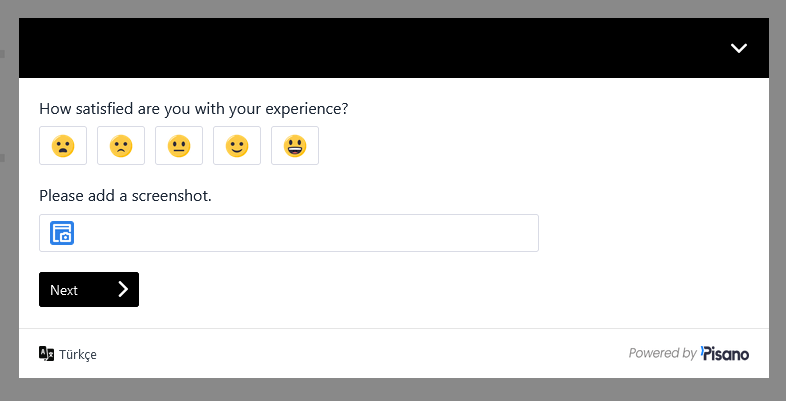
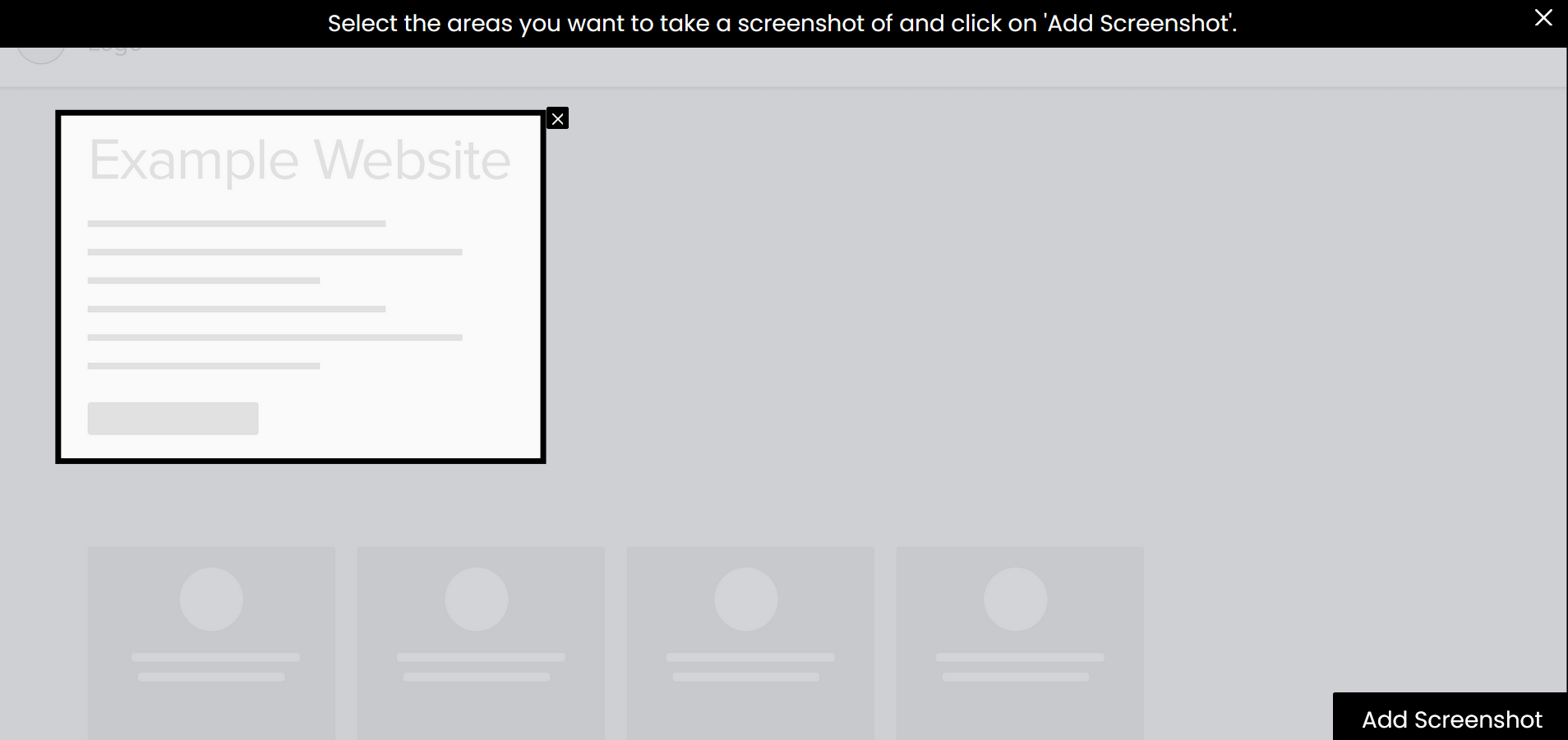
Customers who click on the button to add a screenshot will see a screen like the one below, from which they can take a screenshot of anything on the page and add it to their feedback.
You can view the question settings by pressing the gear symbol on the question.
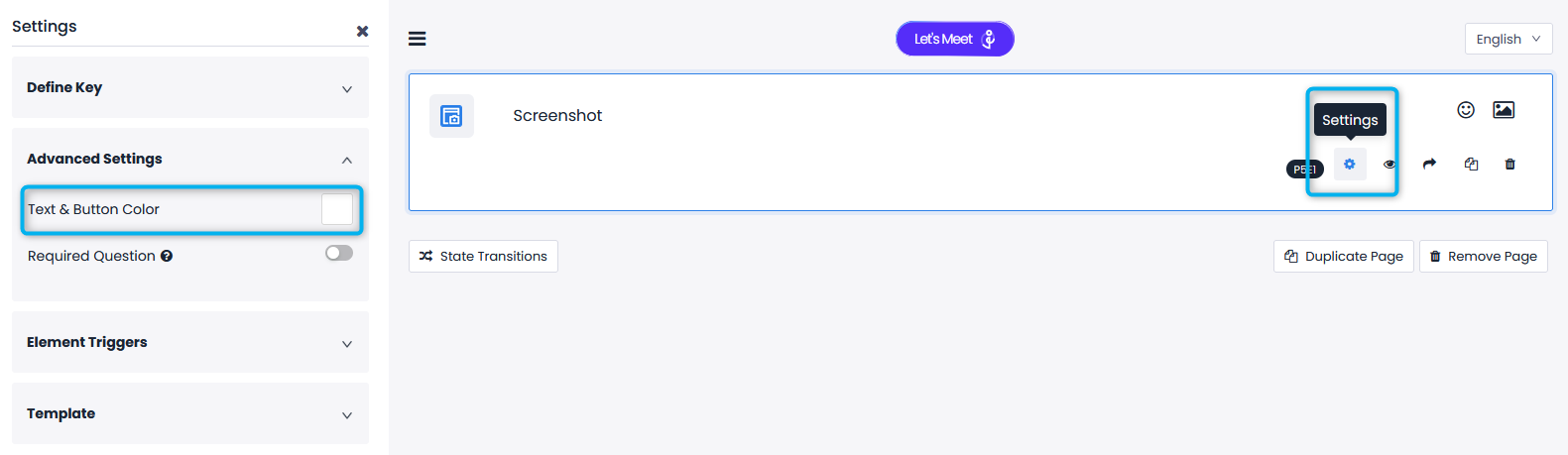
Define Key: Allows you to add keys to your question and options, although these keys have many uses in Pisano, they are not mandatory.
Advanced Settings: This is the area where you can configure settings related to the functions of the question.
- Required Question: This setting makes the question mandatory to be answered, the flow will not continue unless this question is answered.
- Text & Button Color: Allows you to choose what color the text and button on the image capture page will appear, so you can adapt the question to the colors of your site.
Element Triggers: Allows you to link this question to another question and manage the appearance of other questions to users based on the options selected in this question. It allows you to set a rule, for example, to show a open-ended text question to a person who selects the "Other" option in this question.