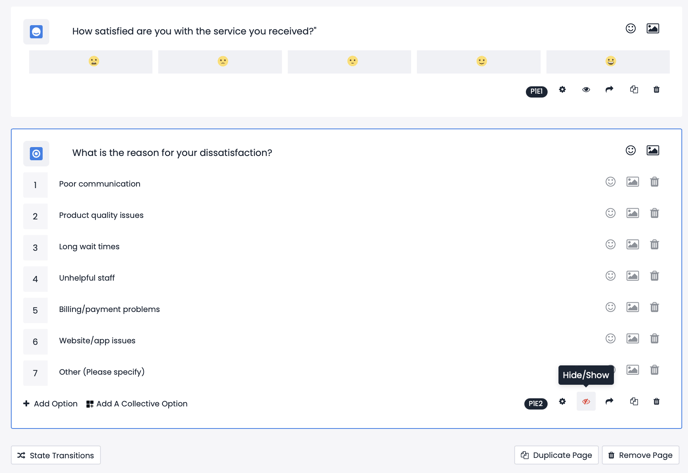
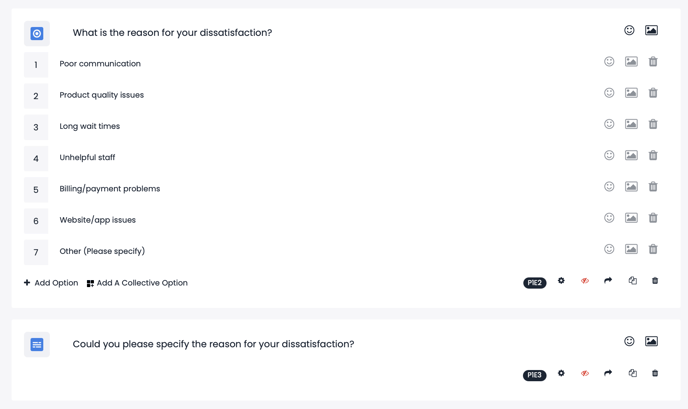
For instance, if customers provide a negative response such as "I am not satisfied" to the CSAT question, you can ask them the following question: "What is the reason for your dissatisfaction?"
This question will be hidden by marking it with an eye symbol as shown below (Hide/Show), so respondents who select the "I am satisfied" option will not see it.
In order to create this scenario, you can ask dissatisfied survey respondents about the reasons for their dissatisfaction after asking the satisfaction question, as demonstrated below.
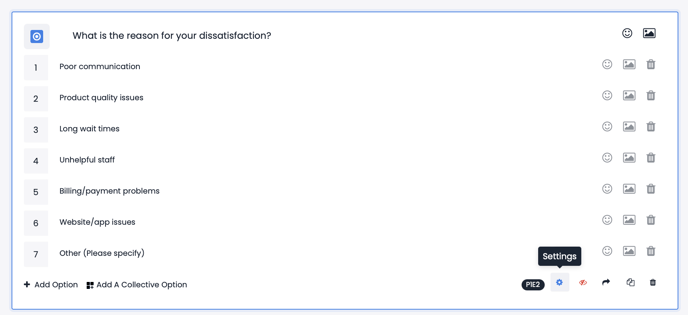
After hiding the question, you can determine under which conditions the question will be visible by setting specific rules. To do this, you need to click ''Settings'' of the first question it's dependent on, which is the satisfaction question. Because based on the responses to this question, the survey will continue with different scenarios.

After clicking the settings of the question you need to go into the trigger elements on the left side of the page and click 'Define New Trigger'
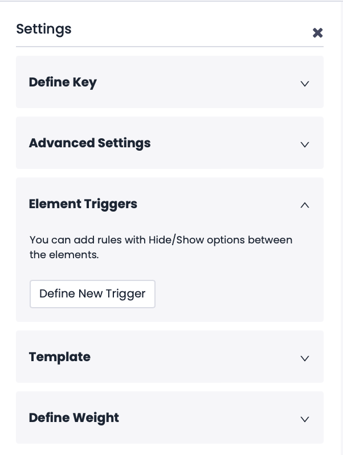
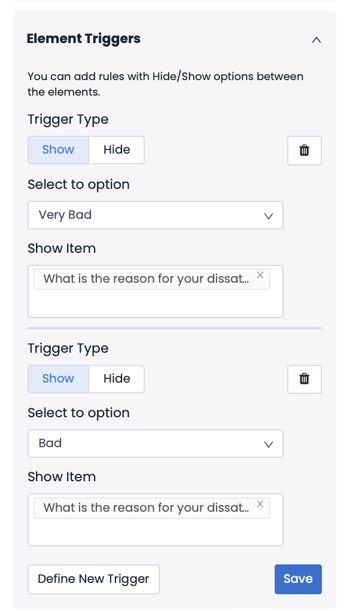
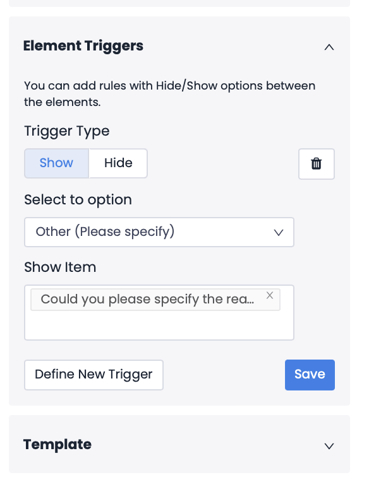
Afterwards, you can define your rule using the 'Show' and 'Hide' options.
In this example, you can define the rule as below so that only the dissatisfied respondents means who selects ''I am Very Dissatisfied'' and ''Dissatisfied'' will see the "What is the reason for your dissatisfaction?" question.
You can also add a question as "Could you please specify the reason for your dissatisfaction?" into a hidden question by marking it with an eye symbol, so only those who select 7th option; Other (Please Specify)
Conditional Options
The relevant questions or elements need to be on the same page for this customization.
- Click "Settings" button of the question that will determine the condition
- Expand the "Element Triggers" tab on the left pane
The setup logic is in reverse filtering order, meaning the options not relevant with the selection will be hidden.
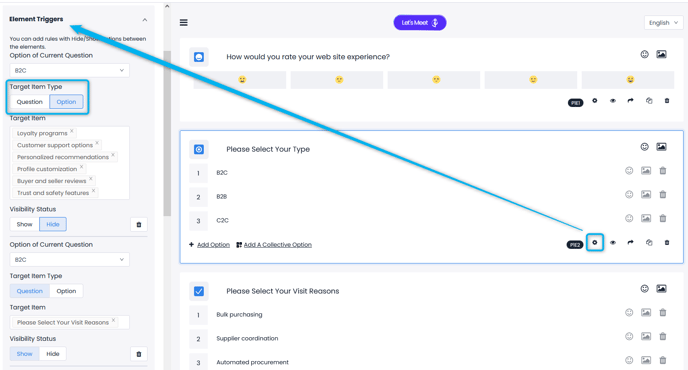
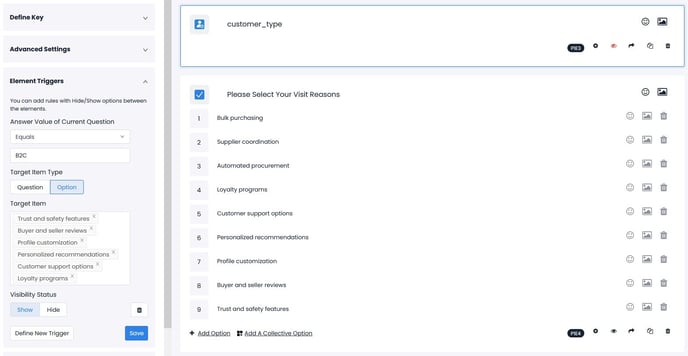
When a respondent selects "B2C" option, the other options will be hidden. Additionally, the multiple selection questions can be made hidden by default. This allows the question to became visible with the relevant options only, examples below.
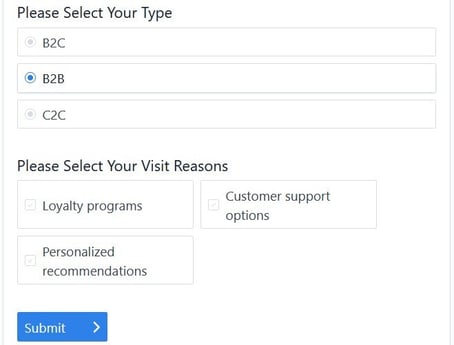
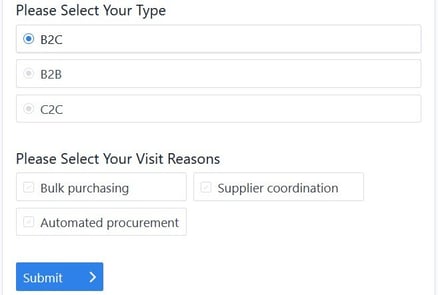
An integration data can also be utilized to determine the options conditionally. The operator menu allows Equals, Not Equals, Contains, Not Contains and RegEx selections.
In the example below, when the customer_type schema receives "B2C" value, the options not relevant to B2C will be hidden.