
If you are facing an issue where you are receiving feedback that you would like to have marked as spam, Pisano allows you to automate it.
To create automation for spam detection and tagging :
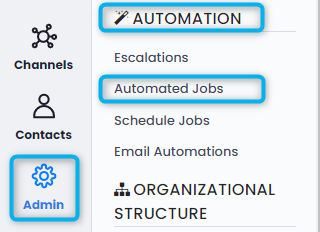
- Go to Admin > Automation > Automated Jobs.
- Click "Add Automated Job" from the upper right corner.

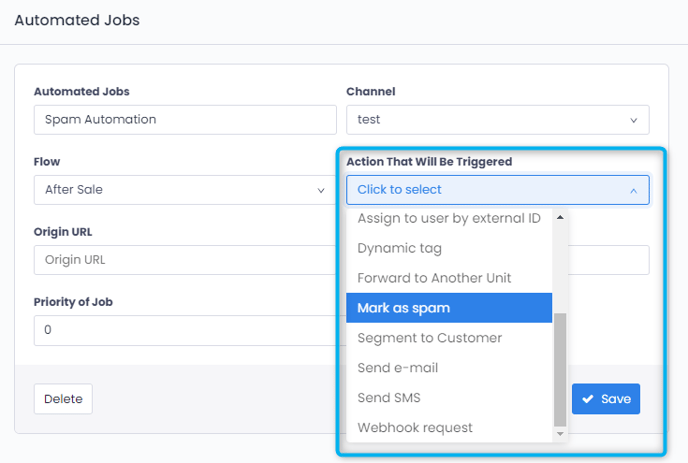
- On the opening window, type the name of your automation, select Channel and Flow, and from the "Action That Will Be Triggered" tab, select "Mark as Spam."
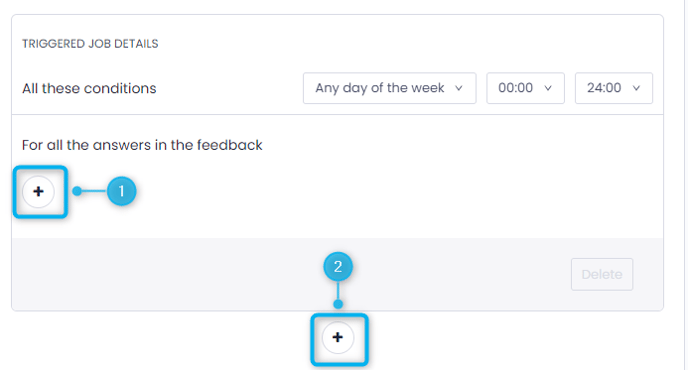
- By clicking on the No.1 plus button, you can add an "And" rule, meaning the feedback has to fit both rules to be tagged.
- By clicking the No.2 plus button, you can add an "Or" rule, which means the feedback can fit either the first rule or the second one to be tagged.
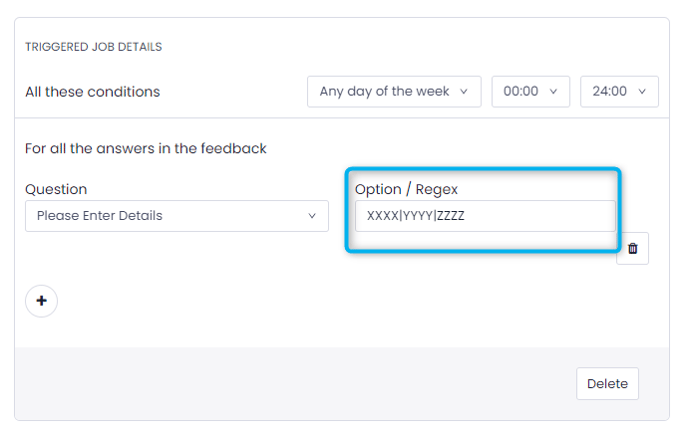
- To choose which words should spam tagging work for, select your open-ended question. You can separate your spam words by typing them side by side and separating them with the "|" sign.
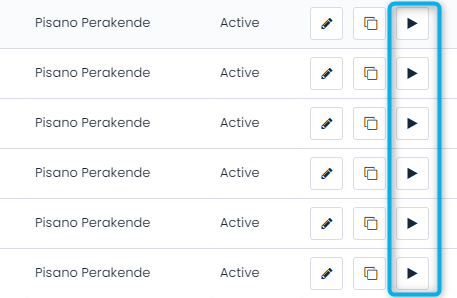
- After setting your rules, click "Save" and your Automated Job should work for any incoming feedback. If you wish to run the Automated Job retrospectively, go back to Admin > Automation > Automated Jobs, and from the icons next to the automated job you have just created, click the play button.
Please note that when ran retrospectively, Automated Jobs will work after 22:00 (GMT+3).