
The Pisano platform can automatically route feedback to the right teams and notify them instantly or create rule-based workflow automation, spam detection and customer data anonymization and many more.
Follow the steps below to create an automated job.
- Go to Admin > Automation > Automated Jobs
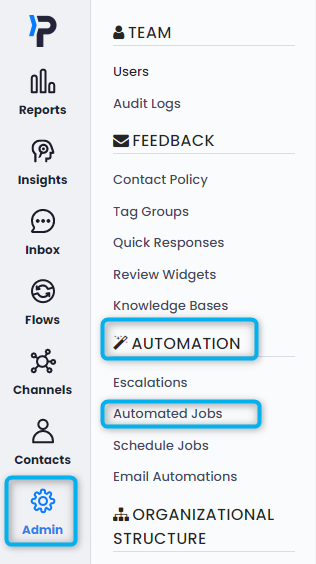
- Click "Add Automated Job" in the upper right corner.

- On the creation screen, type your job name, select the channel and flow the job will work in, and lastly select your job type. Pisano offers many different automated job types and each has slight variations on how to set them up. See here for more information.
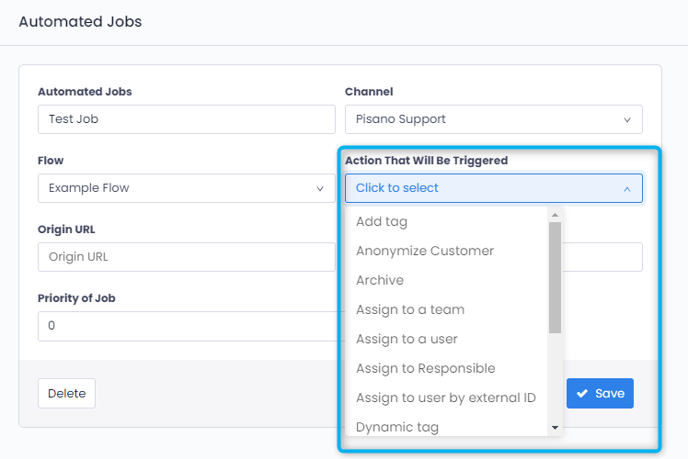
-
After you choose the action, the Trigger Job Details panel will be shown. On this panel, you can determine the conditions in which you want the action to be triggered.

- Click on the Save button and you will be redirected to the main page where all the automated jobs you have created are listed.
Please note that the automated jobs will be activated as soon as you have created them. Therefore, if you would like to apply these rules to already received feedback, you need to contact your account manager to run these automated jobs retrospectively.