
Send an SMS to your customers post-transaction and/or interaction to evaluate their experience. Furthermore, you can send a mass SMS chain to your sample-size customers to collect feedback.
Additionally, we can create triggers to send after specific transactions.
How to send a targeted SMS survey?
- Integration with CRM
To send an SMS to customers with Pisano's API, you should open the Pisano Channel Dashboard and create an SMS channel and campaign.

Then Click the Edit Campaign button to change the flow and SMS message to be sent with the campaign.
After clicking the Save and Share button, take the ID at the top of the screen and you can start sending SMS' using Pisano's API.
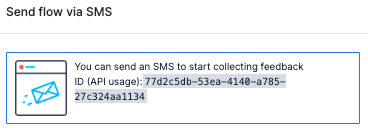
To send an SMS to customers by integrating to Pisano, Please see the API documentation at SMS-sharings from the link: https://api.pisano.co/v1/docs
- Typing Customer Data
When you access your SMS channel, you have the option to ‘Share’. When you select ‘Share’ it will prompt you to ‘Phone Numbers. Click and type the SMS numbers of your sample size customers.
You can also add more than one recipient by separating the phone numbers with a comma.

- Uploading CSV/XLSX file
When you access your SMS channel, you have the option to ‘Share’. When you select ‘Share’ it will prompt you to ‘Upload CSV file’. Click on ‘Upload CSV file’ and upload your dedicated CSV file with the SMS numbers of your sample-size customers.