However, not all your customers would like to give that permission to us. Then, what’s the next step?
When engaging with our customers, it is important to personalize our approach based on their experience and feedback. However, sometimes even though the customer may share their personal information such as Name & Last name or e-mail address, they don’t give us the consent to keep their personal information on our database.
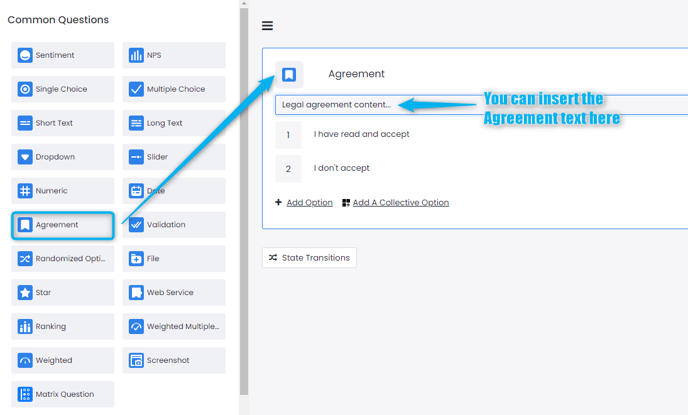
In Flows, Pisano provides an Agreement Question type where you can embed your organization’s personal data collection and processing policy and ask your customers’ consent.
If your customer does not allow their data to be kept, Pisano automatically anonymizes the customer data, enabling only the feedback to be seen and reported on the dashboard.
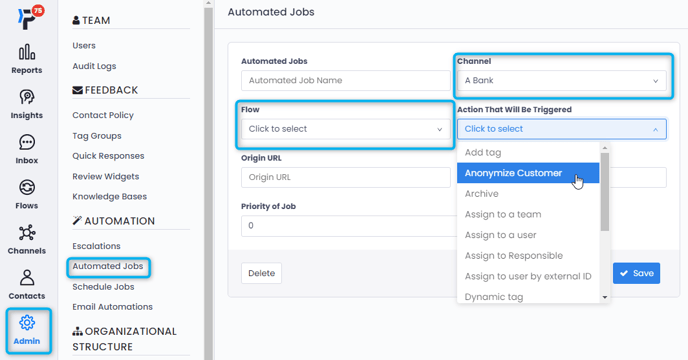
To activate the anonymization process, you need to set an Automated Job.
This is established in the Admin section, under Automated Jobs.
After selecting the Channel and Flow, you can determine a question and its answer (such as the Agreement question and "I don't accept" answer) you can create an automated job to anonymize customer data.