
What You Will Find Here
How to Access
Follow these steps to find the assignment options:
-
Click the Inbox icon in the main menu.
-
Select a specific feedback item or request from your list.
-
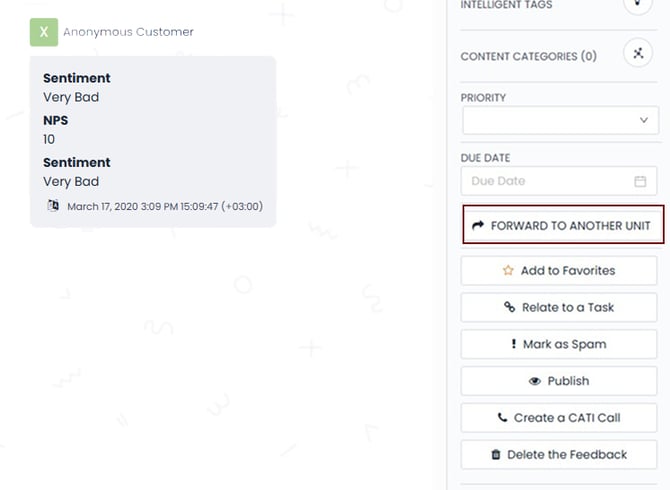
Locate the Forward to Another Unit button on the right-hand pane.
What You Can Do Here
Assigning Feedback to a Business Unit
You can send a customer request to a different department for resolution. This action moves the feedback to the queue of the team you select.
Step-by-Step Instructions
-
Click the Forward to Another Unit button on the right pane of the feedback view.
-
Review the organizational tree view that appears.
-
Select the team responsible for handling the request from the list.
Result: The system assigns the feedback to the selected business unit. The request will now appear in their inbox.
Notes / Tips / Warnings
-
Hierarchy: The business units appear based on the hierarchy defined in your platform settings. You must set up your organizational structure in the platform settings before you can see the tree view.
- Planner: By using Pisano Planner, you can incorporate individual feedback into larger tasks and implement the assignment process in a more systematic way
Limits / Notes
-
Team vs. Individual: This feature assigns feedback to a whole team. If you need to assign a request to an individual person, please refer to the article: Assigning Feedback to Team Members.
FAQs
Why can I not see any teams in the tree view?
You must define your organizational structure in the platform settings first. If the hierarchy is empty, the tree view will not show any units.
Can I assign feedback to more than one team at a time?
No. You must select one specific business unit to take ownership of the feedback.
Interactive Video
This video provides a visual walkthrough of the manual assignment process. It shows how to locate the Inbox and use the organizational tree to delegate tasks.