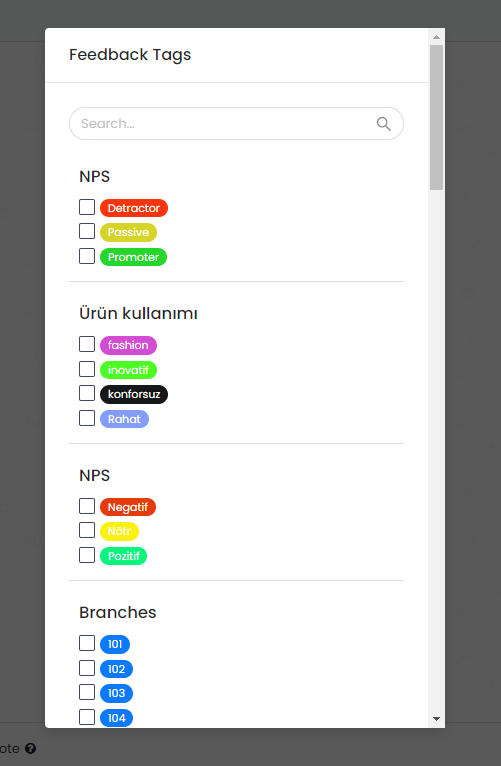
You may receive various feedback, complaints, or suggestions from your customer through different channels. Keeping track of these by categorizing them would enable you to improve your product and services with a customer-centric approach.
Pisano gives you automatic tagging options, but you may also need to manually tag topics that you notice.
How to manually tag feedback/conversations?
Pisano gives you automatic tagging options, but you may also need to manually tag topics that you notice.
How to manually tag feedback/conversations?
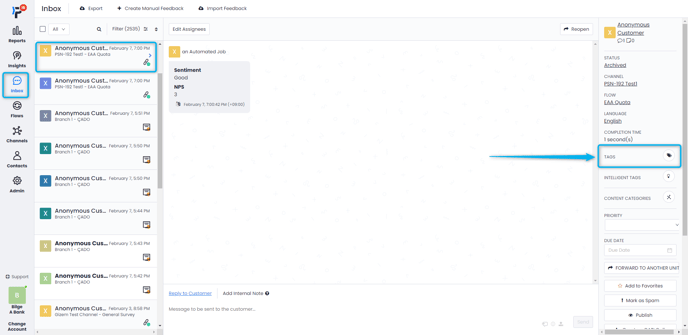
- To tag feedback, go to the Inbox module and open the feedback you want.
- Click the Tags button in the right menu.
- On the screen that opens, you can add or remove the tag you want. If you want to add a tag that does not exist, you will first need to create that tag. You can learn how to do it here.