
- After logging in as an Admin on Pisano, go to Settings > Uber Admin > Account page.
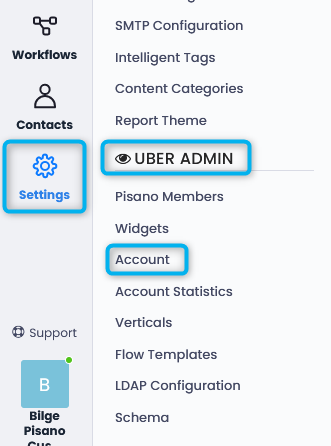
- In the Account page, search for and click on the account from which feedback will be received.

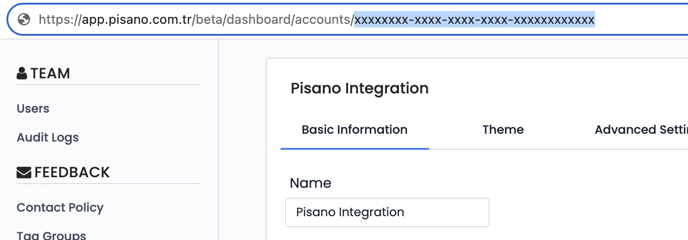
- Once the desired account is selected, retrieve the alphanumeric account identifier from the URL.
Please note that your account node_id will be provided by Pisano to you since customers do not have Uber Admin priviliges
- An Authorization Token should be obtained from Pisano without making API calls, and it should be defined as a Bearer token in API calls for authorization. (If you have used a token in your previous Pisano integrations, you can proceed with the same token.)
For Authorization Token Acquisition - The copied (provided) identifier, which will also serve as your account identifier known as node_id, will initially list all flows here.
(https://pisano_domain/external/v1/flows/?node_id=xxxx) :
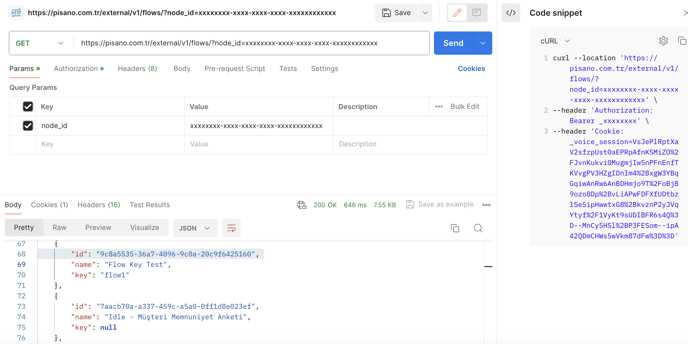
To send GET requests to the API, a token should be obtained from a user who never updates their password. Therefore, it is recommended to create a dedicated "integration" user in Pisano solely for integration purposes.
If desired, the following parameters can also be applied when a GET request is called, in addition to flow_id:
Query parameters
| Key | Description |
| from | scope feedbacks created after this date. Unix Timestamp |
| to | scope feedbacks created before this date. Unix Timestamp |
| range | scope feedbacks within this range. String. One of ['today', 'yesterday', 'this_week', 'last_week', 'this_month', 'last_month', 'last_7_days', 'previous_7_days', 'last_30_days', 'previous_30_days', 'older_than_30_days'] |
| time_from | i.e. 1000 (for 10:00 am) |
| time_to | i.e. 1330 (for 1:30 pm) |
| page | The service returns a maximum of 20 feedback information for each response. If there are more than 20 feedbacks, a request can be send again with the page parameter. |
Feedbacks for the desired survey can be listed from the response using the following API GET method call, obtained from the flow_id information in the above API call response:
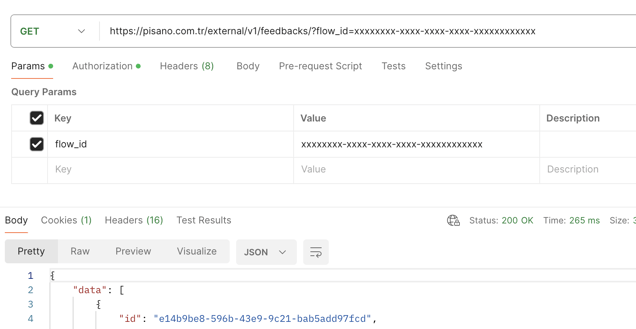
Under the responses, you will find question (question.body) and responses objects. According to your flow design, all feedback from your customers and flow questions are listed under the responses object. Below is an example of a response:
- Constraint: A maximum of 10 requests can be handled within 5 seconds.