The anonymization task in Workflows allows you to remove customer data securely and efficiently to make your feedbacks compliant with information security policies.
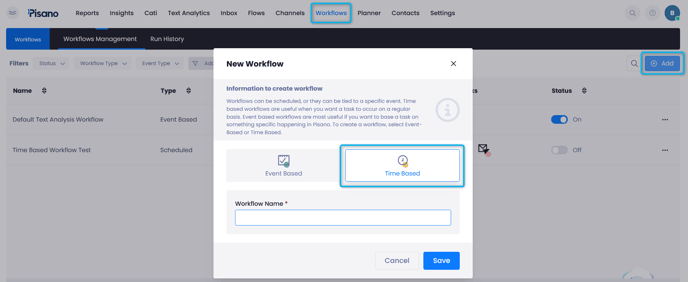
- To start, create a Workflow in Workflows > Time Based.
- Add a Download Task, with this, you can retreive the file which has the data you wish to process. There are three available options for uploading the file:
- FTP Configuration
- Database (DB) Download
- Pisano File Upload Service
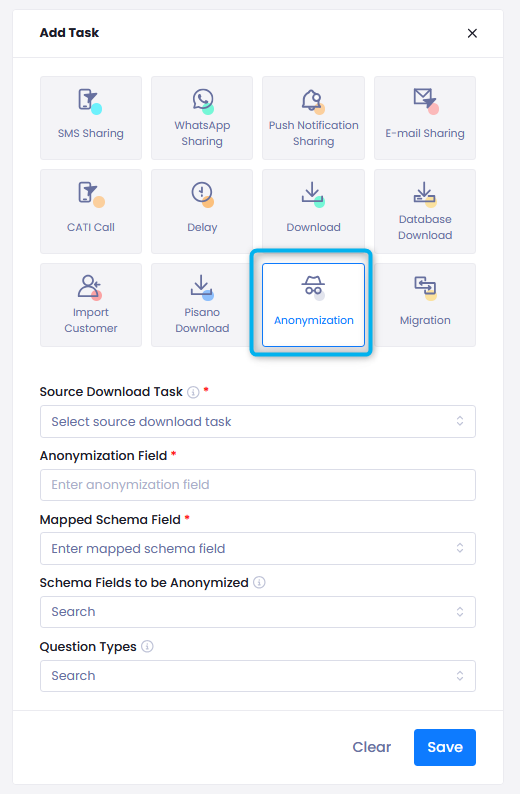
- Adding an Anonymization Task
- First, select the source download task created in the previous step.
- Anonymization Field: The column name in the CSV file that contains the unique ID used for deletion.
- Mapped Schema Field: The corresponding field in Pisano that matches the anonymization field.
- Schema Fields to be Anonymized: Contact info fields are automatically deleted. Additionally, users can select custom schema
fields that need deletion. - Question Types: If users want to delete feedback responses, they should select the relevant question type or all types accordingly.
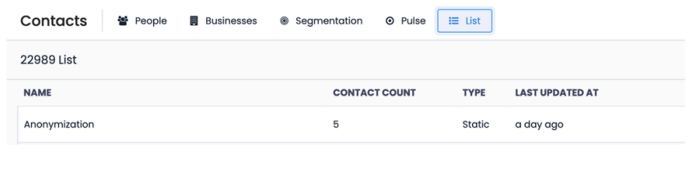
- Customer List for Anonymized Records: A customer list is created for the deleted records. You can access this link by anvigating to Contacts > List page.
- Users can check how many records have been deleted from this list.
- The list is not downloadable.