
A stacked Bar chart composes of full bars broken into smaller segments. Each bar in the chart represents a whole, and segments in the bar represent different parts or categories of within that whole.
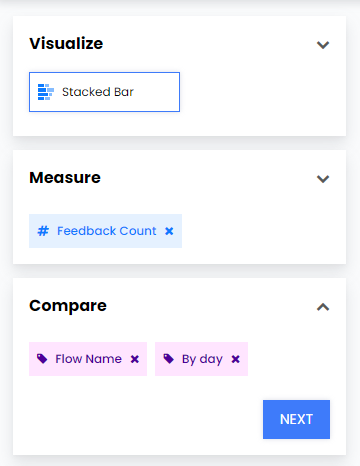
For example, you can use Stacked Bar chart to break down your feedback count and see how much feedback was collected from each flow. You can see how such a widget is created below.
- Select Stacked Bar Chart from Visualize.
- Select Feedback Count from Measure.
- Select Flow Name and By Day from Compare.
Beware that you have to choose two items from the compare section. These will create the vertical and horizontal data in your chart.
- From Filters add Flows and then select the flows you wish to show on your chart.

- Click Create Widget and your widget should appear in your report as below.
