
To integrate LDAP, follow these steps:
1. Define the organizational hierarchy within Pisano: The unit codes used when uploading the hierarchy should be the same as the unit codes used in LDAP login.
2. Clarify the roles of the users who will connect to Pisano and define them within Pisano.
3. LDAP settings should be configured in Pisano by a user with Uber Admin privileges.
LDAP configuration can be done by users with Uber Admin privileges in Pisano.
- If you are working in a cloud environment, you need to contact the Pisano team for this.
- If you are in an On-Prem environment, you can go to Admin > Uber Admin > LDAP Configuration menu to perform the process.
On the configuration screen, multiple LDAP configurations can be added for users who will log in to the system using the "Add LDAP Configuration" button.
This allows users from different index servers to log in to Pisano using the LDAP protocol.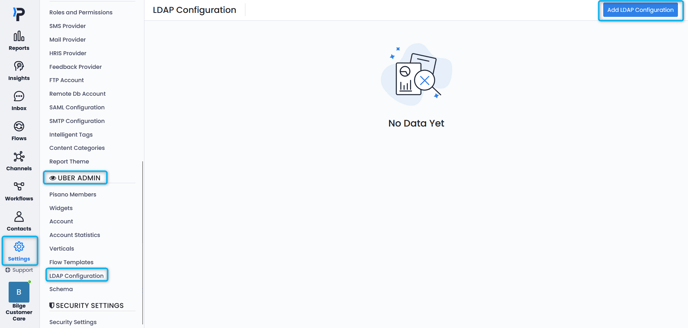
- General
- Defaults
- Attributes
- SSL Certificate
1. General

As seen in the screenshot above, general information must be provided for the configuration.
| Name | Configuration name |
| Order |
Priority order of different configurations When multiple LDAP configurations are made, the system will prioritize based on this order. You can start with 0 and arrange them numerically. When logging in with LDAP, authentication will first be attempted with the configuration associated with the smallest value here, and then continue with others based on their numeric order. Once authentication is successful, the login process will proceed. |
| LDAP Host | Host address |
| LDAP Port | Protocol port |
| Temel DN | LDAP base DN |
| Pisano Group Name | If users within a defined group are to be accessed, the group name should be provided here. |
| Bind User | User for LDAP connection |
| Bind User PWD | Password for LDAP connection |
| Bind User DN | DN info for LDAP connection |
2. Defaults
Here, you can define the configuration values required for default user login. If the Role and Branch values are empty in the values coming from LDAP, the user will be logged into the system with the default values defined in this area:

3. Attributes
In the Attributes tab, a person's title, department, and role fields can be defined.
The organizational hierarchy is not automatically updated in Pisano. Only the incoming user information is automatically assigned in Pisano.
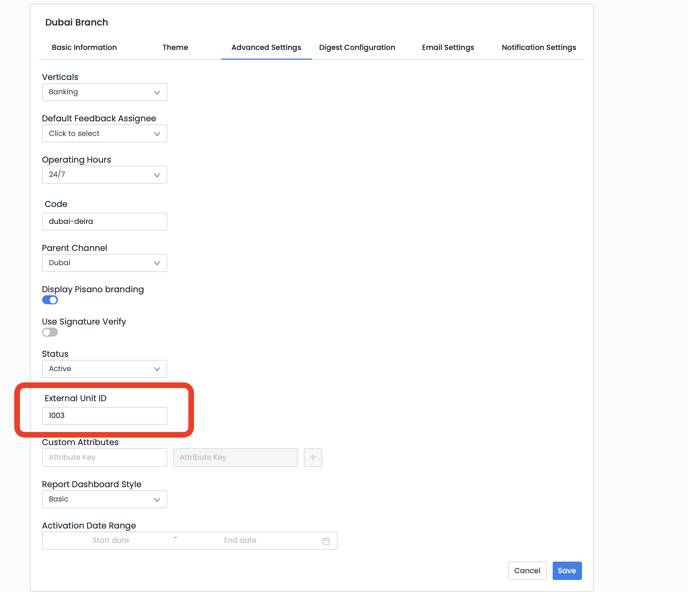
VALUE TO BE ASSOCIATED WITH THE ORGANIZATIONAL UNIT: This refers to the attribute value of the "Organizational Unit" code to be read from LDAP. When a user logs into Pisano, the value of this attribute will be searched within the Pisano Customer Organizational Hierarchy (External Unit ID), and the logging-in user will be assigned to the corresponding organizational unit if a match is found. If no match is found, the login process is managed according to the selections made on the "Defaults" page.
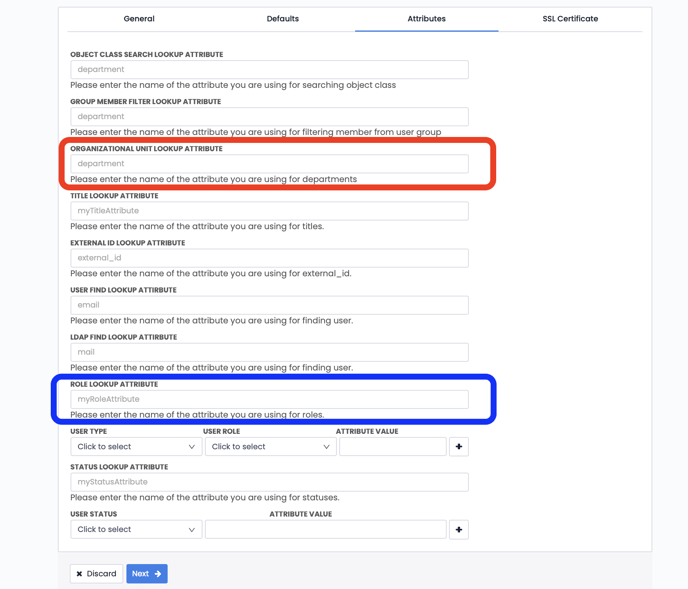
TITLE LOOKUP ATTRIBUTE: Indicates the attribute from which the title values of users coming from LDAP will be read.
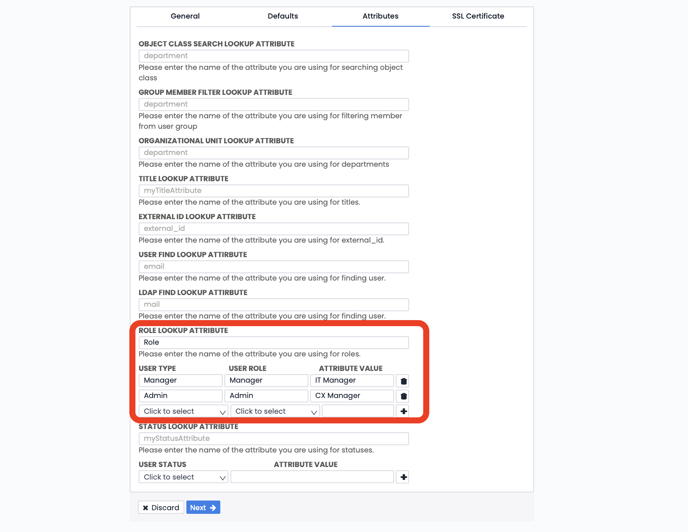
ROLE LOOKUP ATTRIBUTE: Indicates the attribute from which the role values of users coming from LDAP will be read.
For each User Type and User Role defined in Pisano, a mapping table should be created based on the role values coming from LDAP, as shown in the image below with blue framing. For example, if the value coming from the "Role" attribute in LDAP is "IT ADMIN", the user will log in to Pisano with the "Manager" role according to the mapping table below.
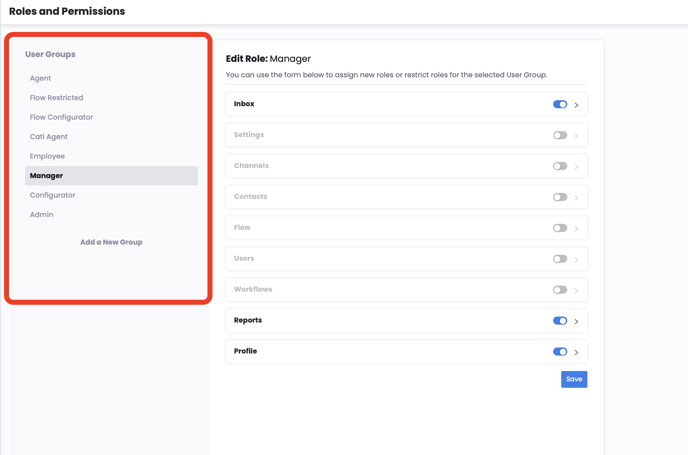
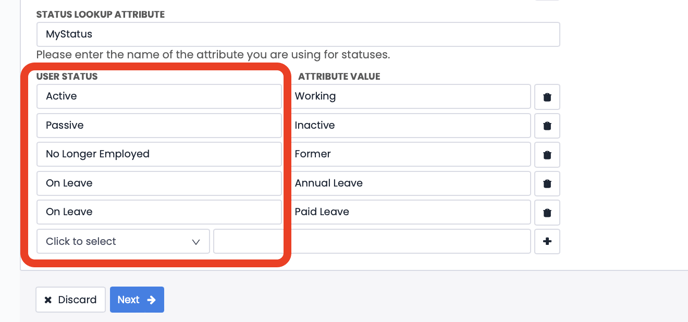
STATUS LOOKUP ATTRIBUTE: Indicates the attribute from which the employment status values of users coming from LDAP will be read. It is not mandatory.
The User Status information in the section framed in red below allows the information to be updated with the matching information from LDAP, and users are listed in Pisano with this status.
4. SSL Certificate
If SSL protocol will be used in the LDAP connection, certificate, verification mode, and SSL version information can be defined in this tab. A certificate can be uploaded.
