
After clicking on the "Automated Jobs" button in the Admin module and navigating to the page where automated jobs are located, you can add a new automated job by clicking the "Add Automated Job" button.
First, you should choose the channel and flow in which you want this feature to operate. Then, you can select the action to be triggered as "Anonymize Customer" for the customer data.

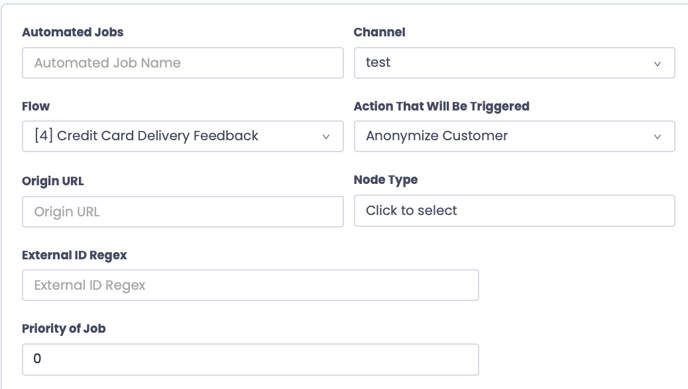
After selecting the relevant options, you can choose the scenario in which responding to which question will anonymize the customer.
After selecting the appropriate options, you can activate the automated job by clicking the 'Save' button.
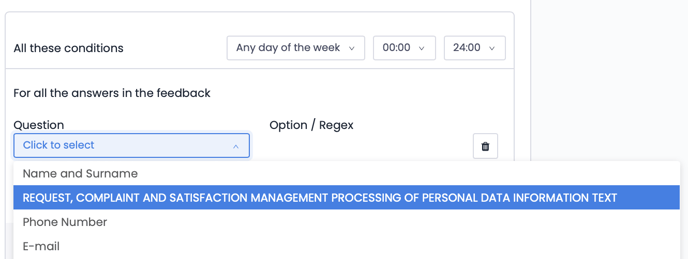
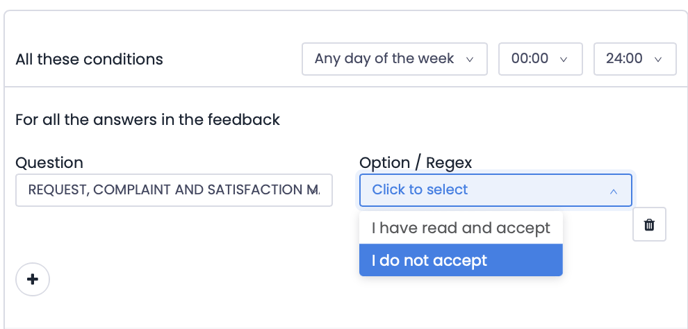
The purpose of this feature is to ensure the anonymous visibility of survey respondents who provide feedback in a survey but do not wish their information to be displayed.