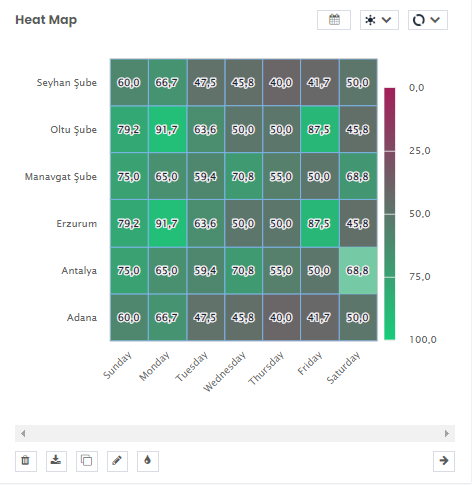
You will find it most useful when you need to plot large and complex data.
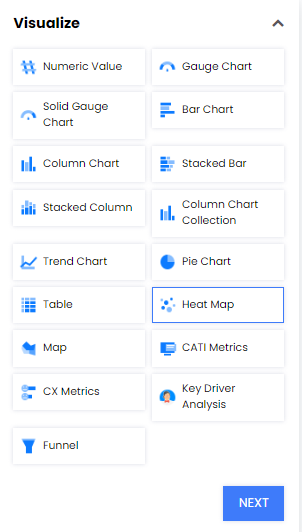
- Select Heat Map from Visualize
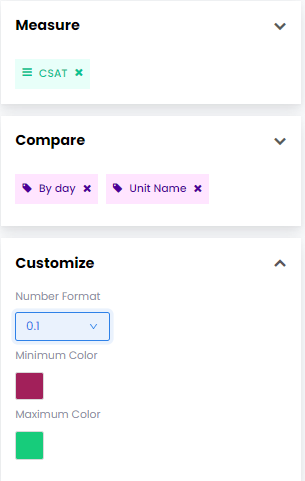
- Select what you want to Measure (e.g. CSAT)
- Set your comparision method from Compare
- You can also Customize the number format and the colors shown in the widget
 Select Create Widget and your widget will appear on your report.
- You can narrow down the data by clicking the calendar button and selecting a specific time range.
In the example below, you can see CSAT scores of certain branches divided by the days of the week.