
CATI Metrics shows you an overview of the CATI calls in your account with details like call count by status or how many calls an agent conducted.
CATI Metrics is a simple widget to create and you can follow the steps below:
- Select CATI Metrics from Visualize.
- If you wish, you can narrow down your data by selecting Channel and Flows from Filters.
- Click Create Widget and your widget should appear in your report as below.
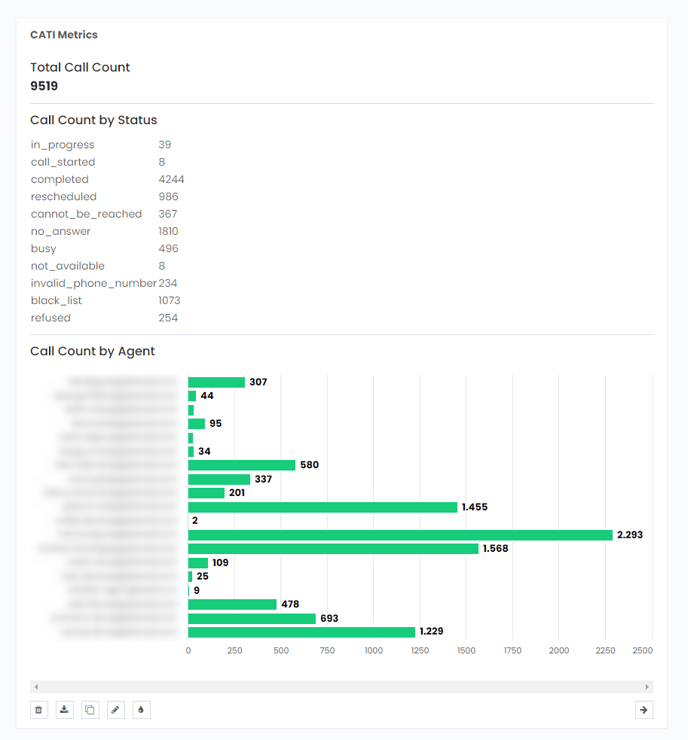
You can change the date to see daily, weekly, or monthly reports using the date function on the Pisano platform.